Design is realising the story of user experience, and doing great design comes a great process.

Portfolio

The Arrivals Project for QA
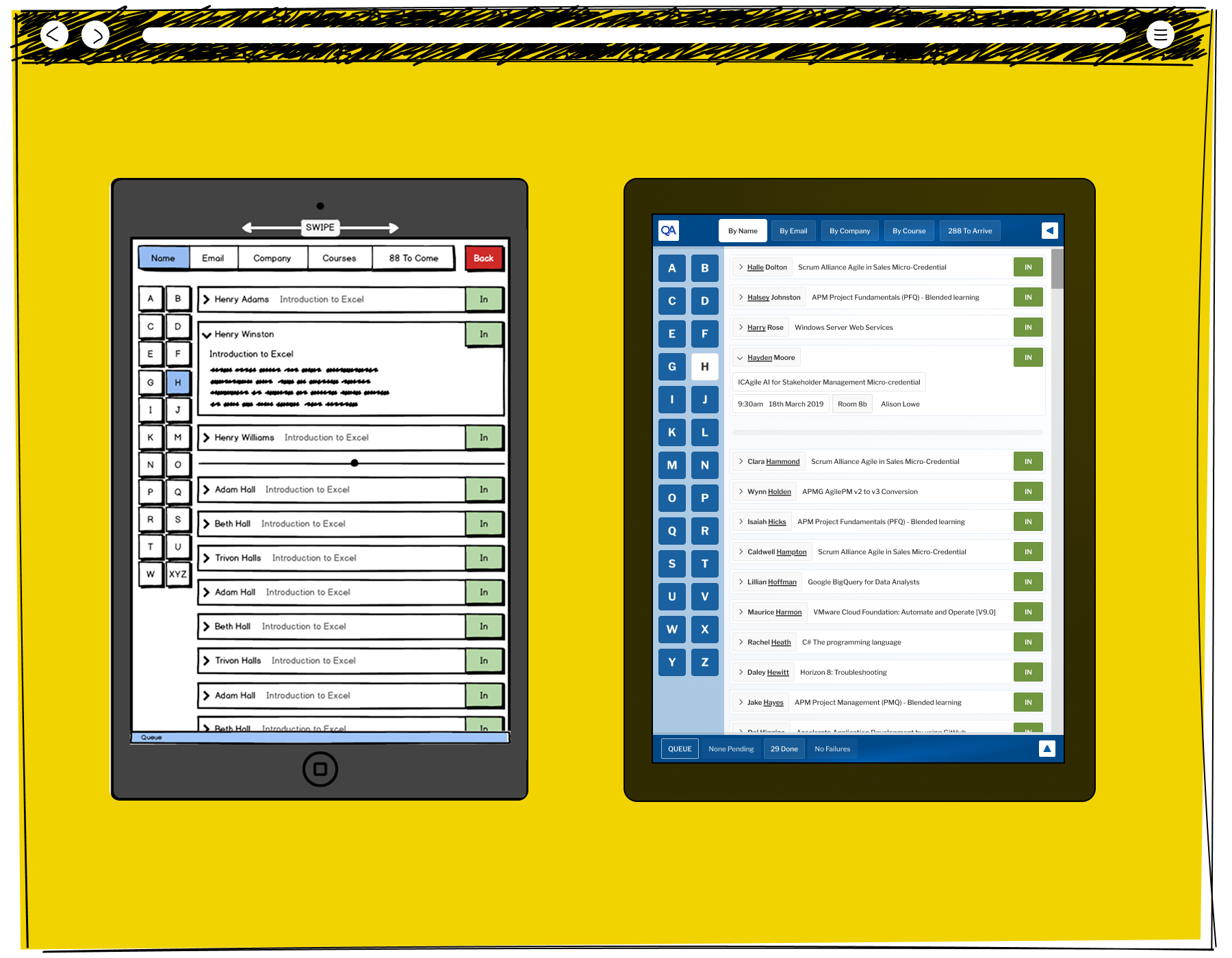
Side-by-side comparison of a tablet application wireframe and the finished interface, showing a training attendance dashboard with participant lists and status indicators.

The Arrivals Interface was tested at Wireframe, Prototype and Design form, two of which are shown here. Given the scope of the project, and how picking up a second of speed would achieve our aims, the visual hierarchy changed as a result of that testing. Here we see the importance of the index on the left-hand side, and the underlining of the searched for term on the right.
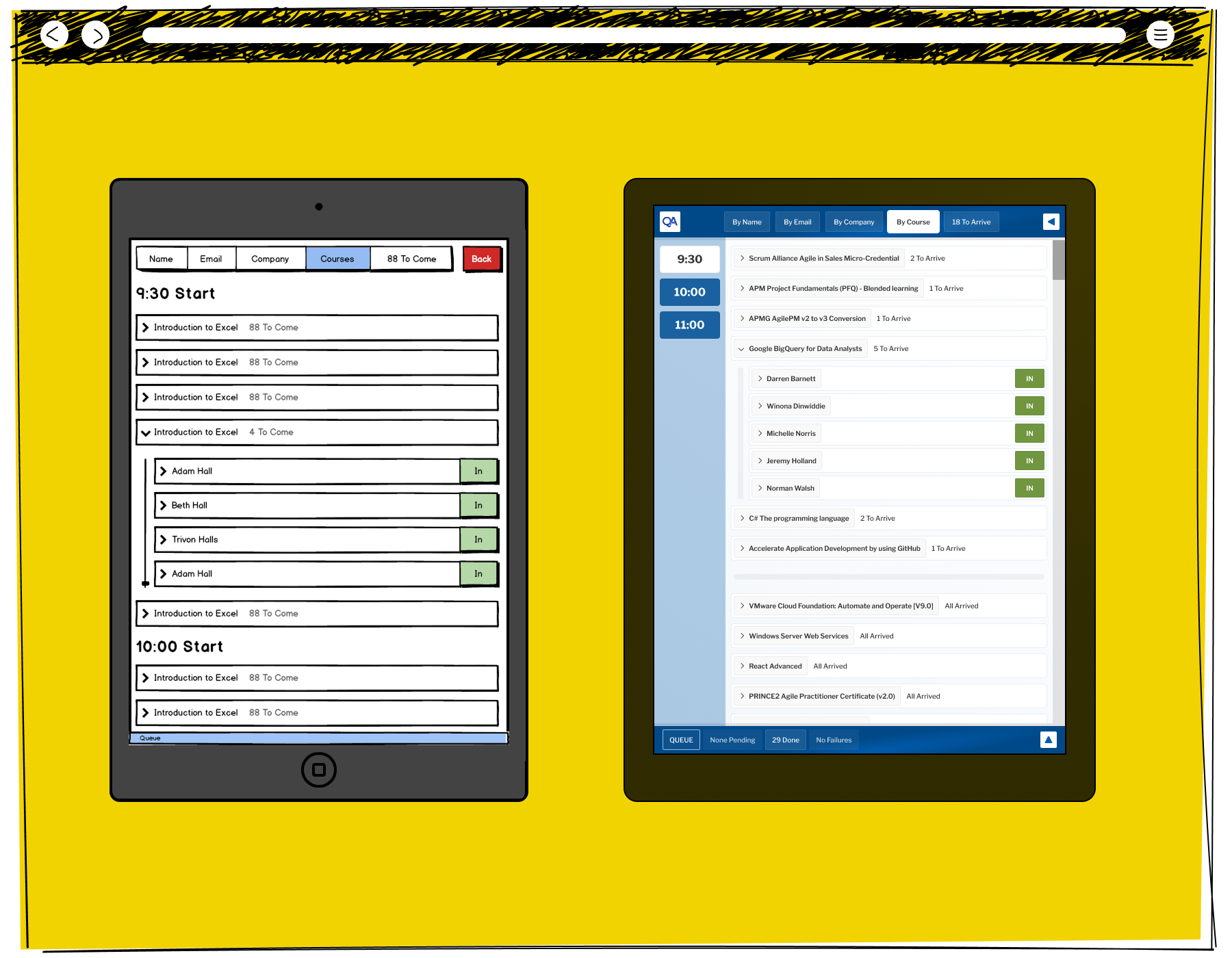
Two tablet screens showing the QA check-in system organised by courses, with the left tablet listing multiple Introduction to Excel sessions grouped by start time and the right showing a by-course view with the Google BigQuery for Data Analysts session expanded showing five attendees marked as in

There was a subtle way in which the interface would drop away much of the colouring, showing the impact of the green calls to action while maintaining a structure on the page. This illustrates a situation where a group from a specific course has arrived, and they can be checked off in a group.
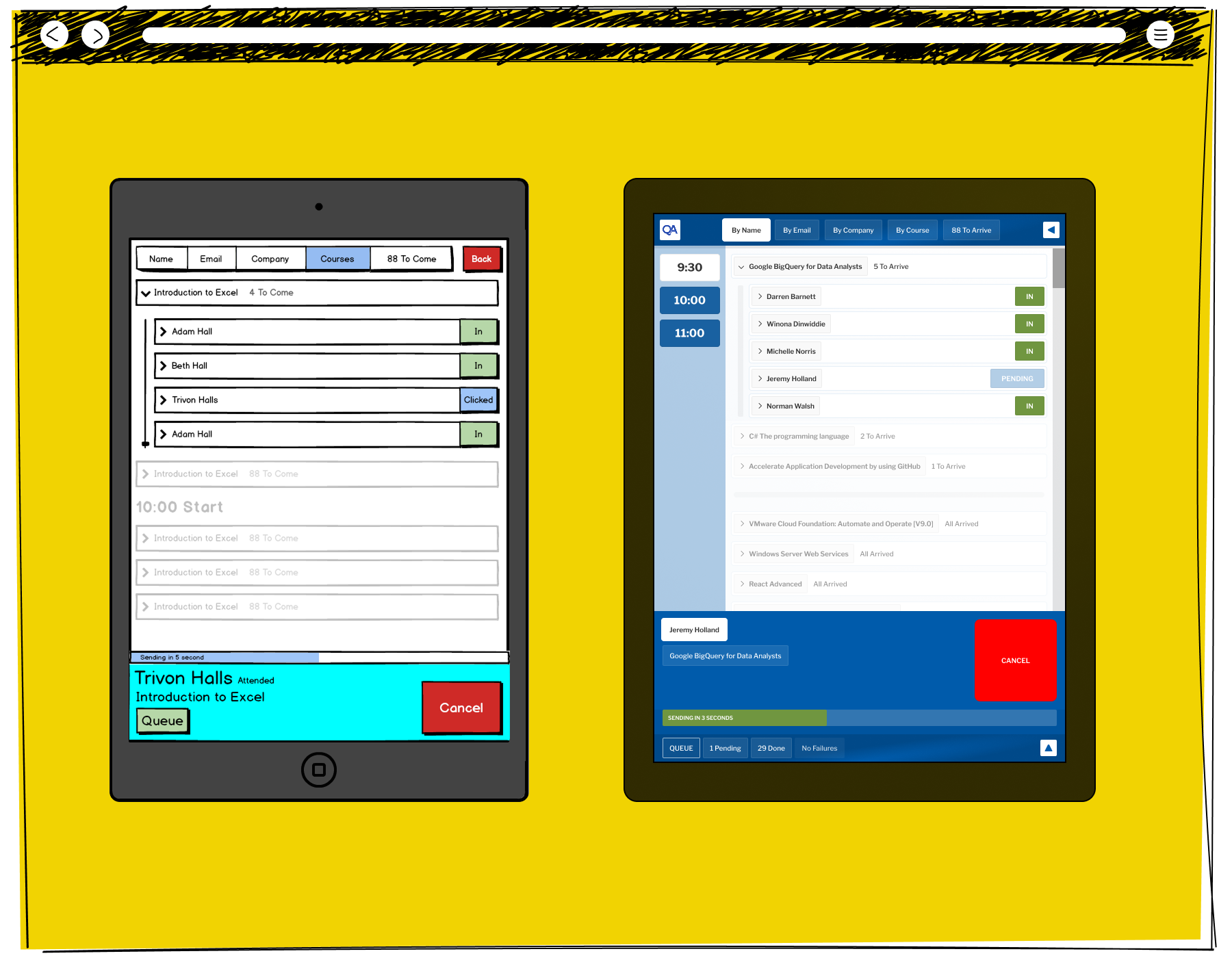
Two tablet screens showing the QA check-in system, with the left tablet displaying a course attendee list where Trivon Halls has been clicked and a sending confirmation bar shows at the bottom, and the right tablet showing Jeremy Holland as pending with a sending in three seconds countdown bar and a cancel option

The Arrival interface buffered negotiations with the back end in order to stop the front end freezing until a positive return is made. Typically, Colleagues would click to sign someone in, and then talk to another person. This illustrates the interface when a mistake has been made in sign in, and the huge Cancel button shows how to stop the action from going to the buffering queue.
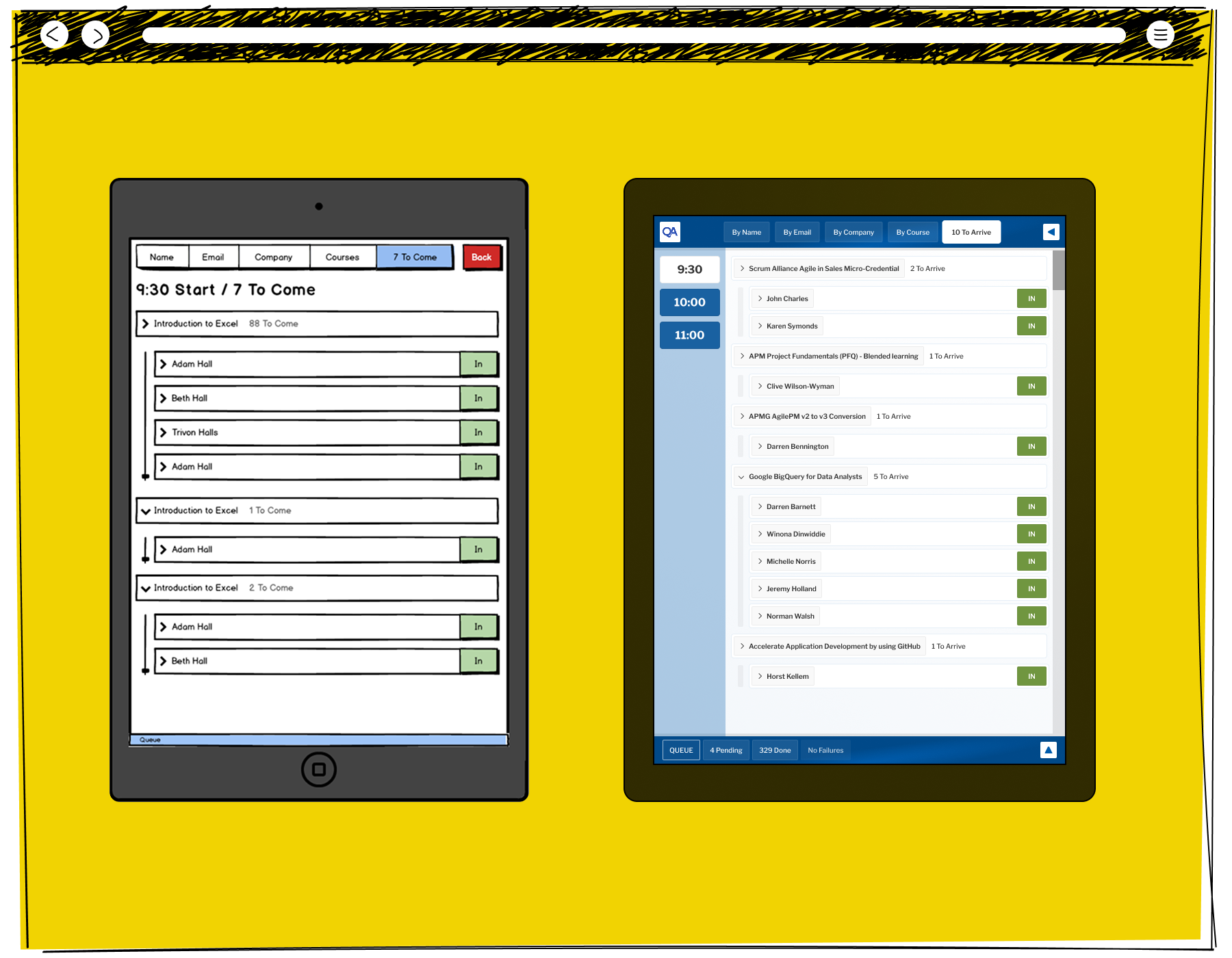
Two tablet screens showing the QA check-in system, with the left tablet displaying attendees grouped by course start time and the right showing a by-course view with individual attendees marked as in across multiple courses including Google BigQuery for Data Analysts

Towards the end of the sign in process, the Interface can adapt to only showing the Delegates who have yet to arrive, speeding up the process for people who are arriving late. This illustrates a screen when there are only ten people to arrive, and all are easily found.
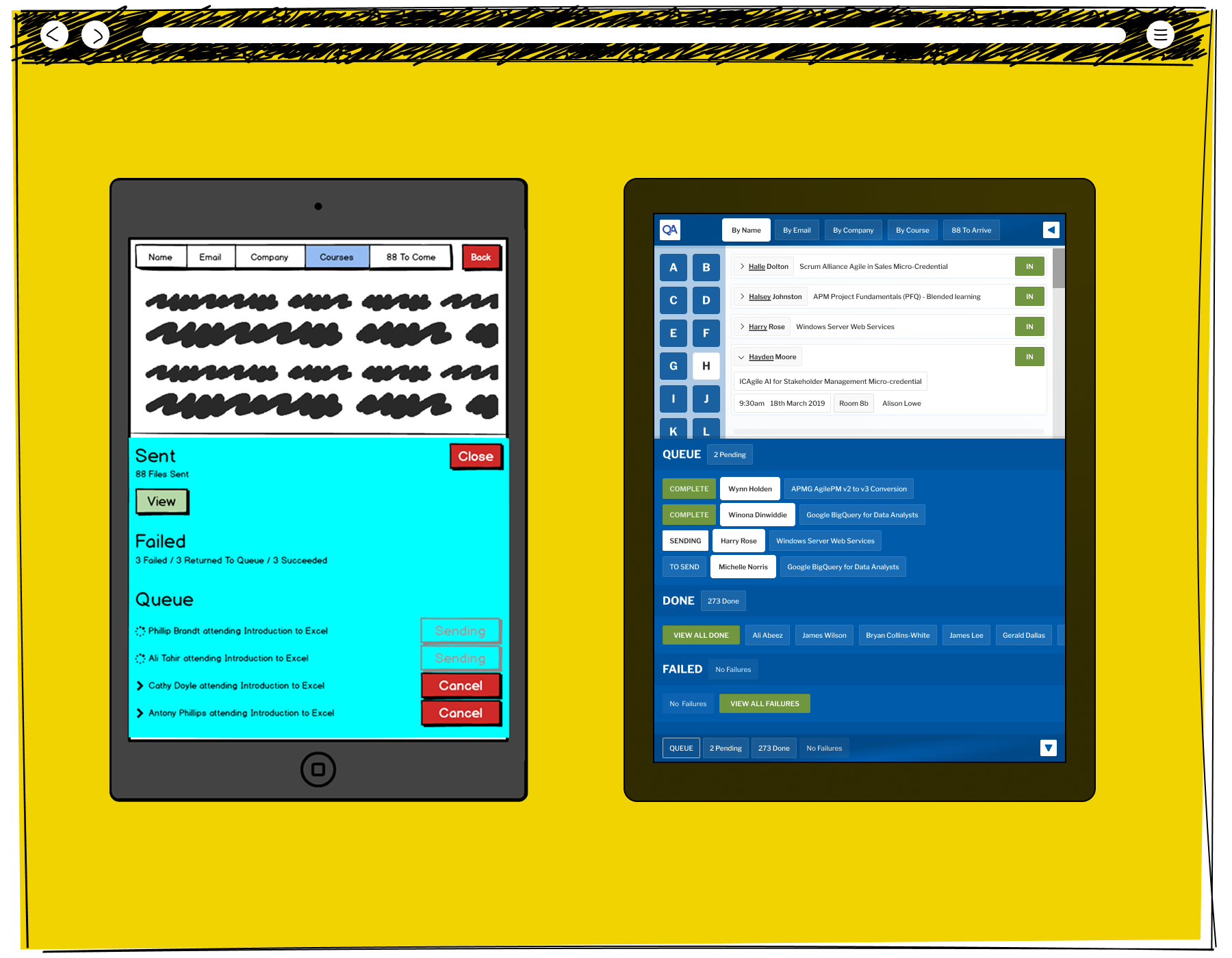
Two tablet screens showing the QA check-in system email sending status, with the left tablet displaying sent, failed and queued messages and the right showing a by-name alphabetical list with an expanded attendee detail panel and a queue section showing complete, sending and to-send statuses

Colleagues found the system more useful, but there was a need to be able to take an overview of what was being processed, and any mistakes which have been made. This illustrates the short view a Colleague can use to review recent interactions between the front and back ends.

DD Track + for FGH
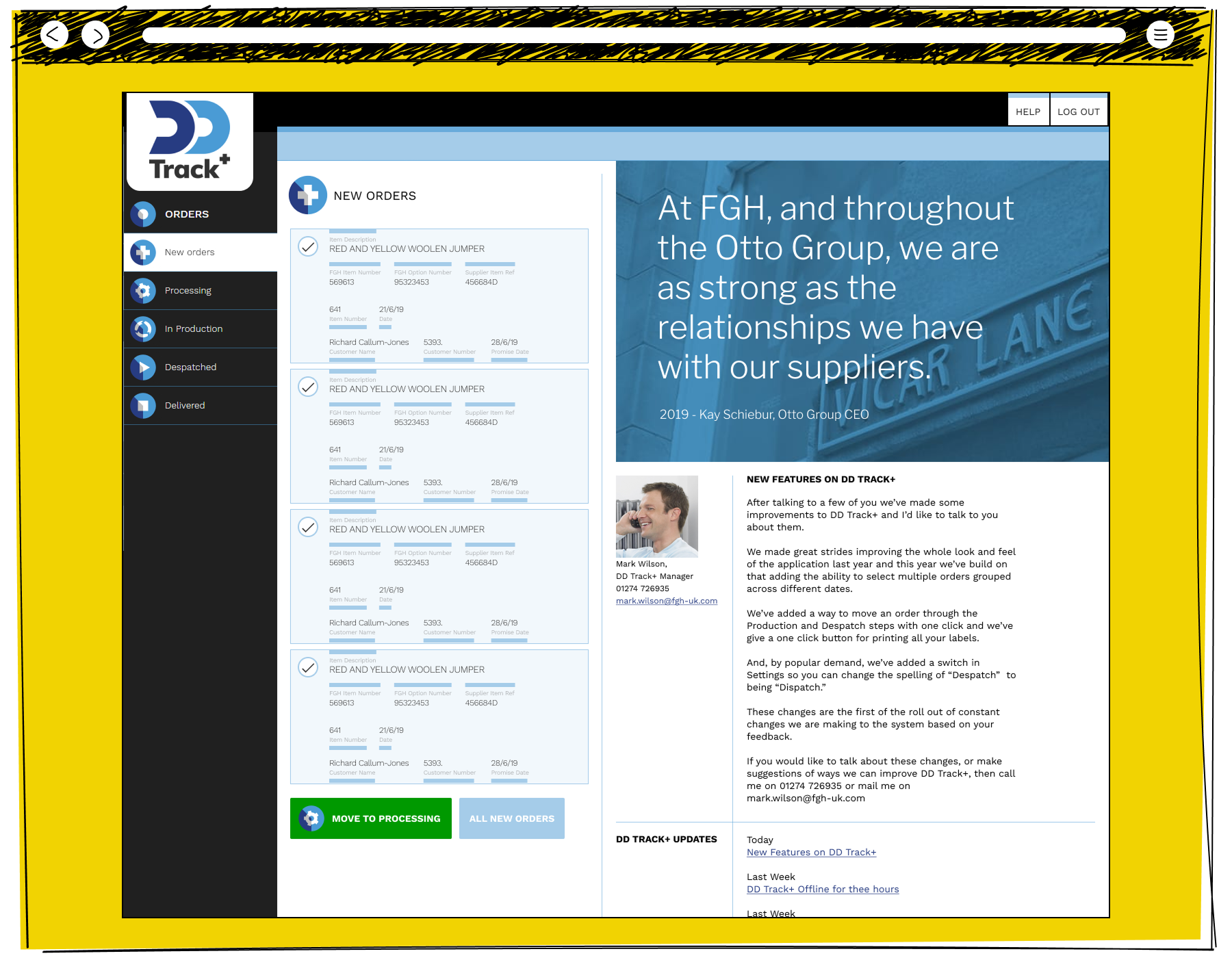
Wireframe-style mock-up of a procurement dashboard showing new orders, supplier information, news content, and a navigation menu.

The initial view welcomes 3rd Party Users, while allowing them shortcut transactions having viewed those transactions in a depth of detail. The most popular setting in DD Track + was to allow our users to change the spelling of "Despatch" to "Dispatch".
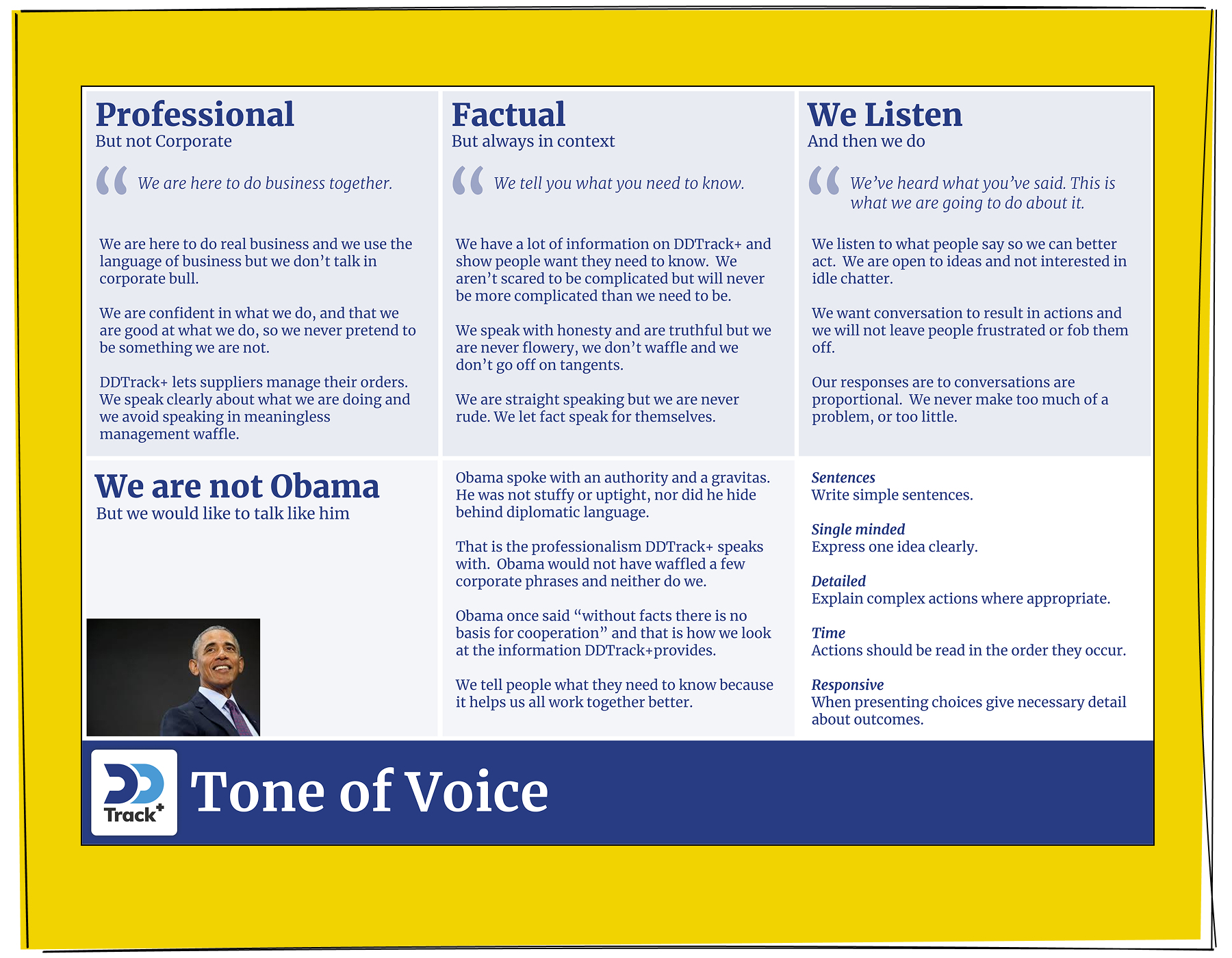
A DD Track plus tone of voice reference document divided into four sections covering being professional but not corporate, factual but always in context, listening and acting on feedback, and writing guidance inspired by Obama's clear and authoritative communication style

The Tone of Voice document for the project, which was part of setting a style for the project team, empowering our developers to create microcontent.
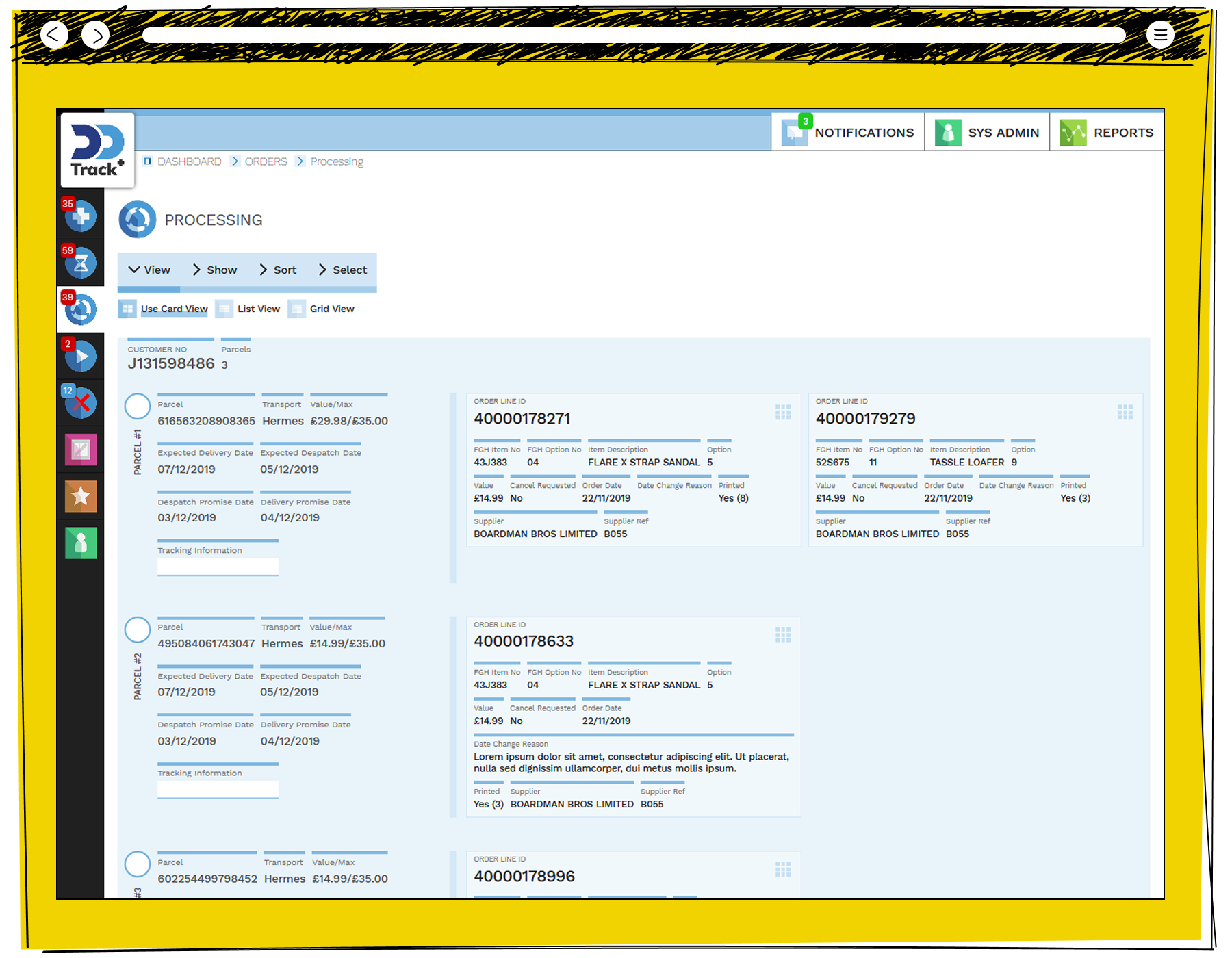
The DD Track plus processing screen in card view showing three parcels for customer J131598486 via Hermes, each with delivery and despatch dates alongside order line cards showing item descriptions including a Flare X Strap Sandal and Tassle Loafer supplied by Boardman Bros Limited

The Card interface, showing the system's ability to handle multiple interactions within a single transaction. This allowed us to speed up the number of transactions a 3rd Party User could enact.
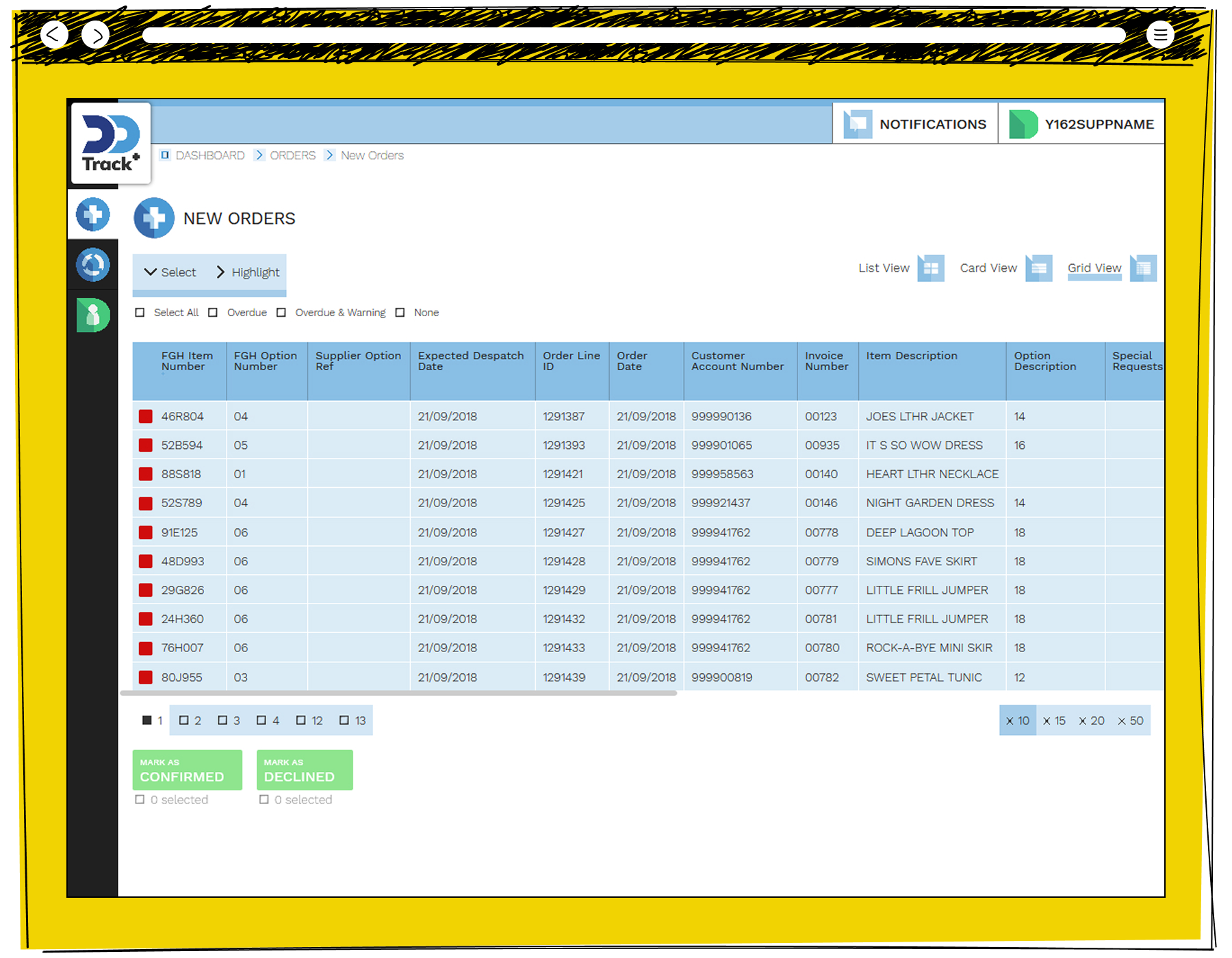
The DD Track plus new orders screen in grid view showing ten clothing items including jackets, dresses and tops with FGH item numbers, despatch dates, order line IDs and customer account numbers, with mark as confirmed or declined buttons at the bottom

The View allowed high volume customers to transaction many Orders quickly. This illustrates a way those 3rd Parties could filter, sort and compare those transactions and group process them.
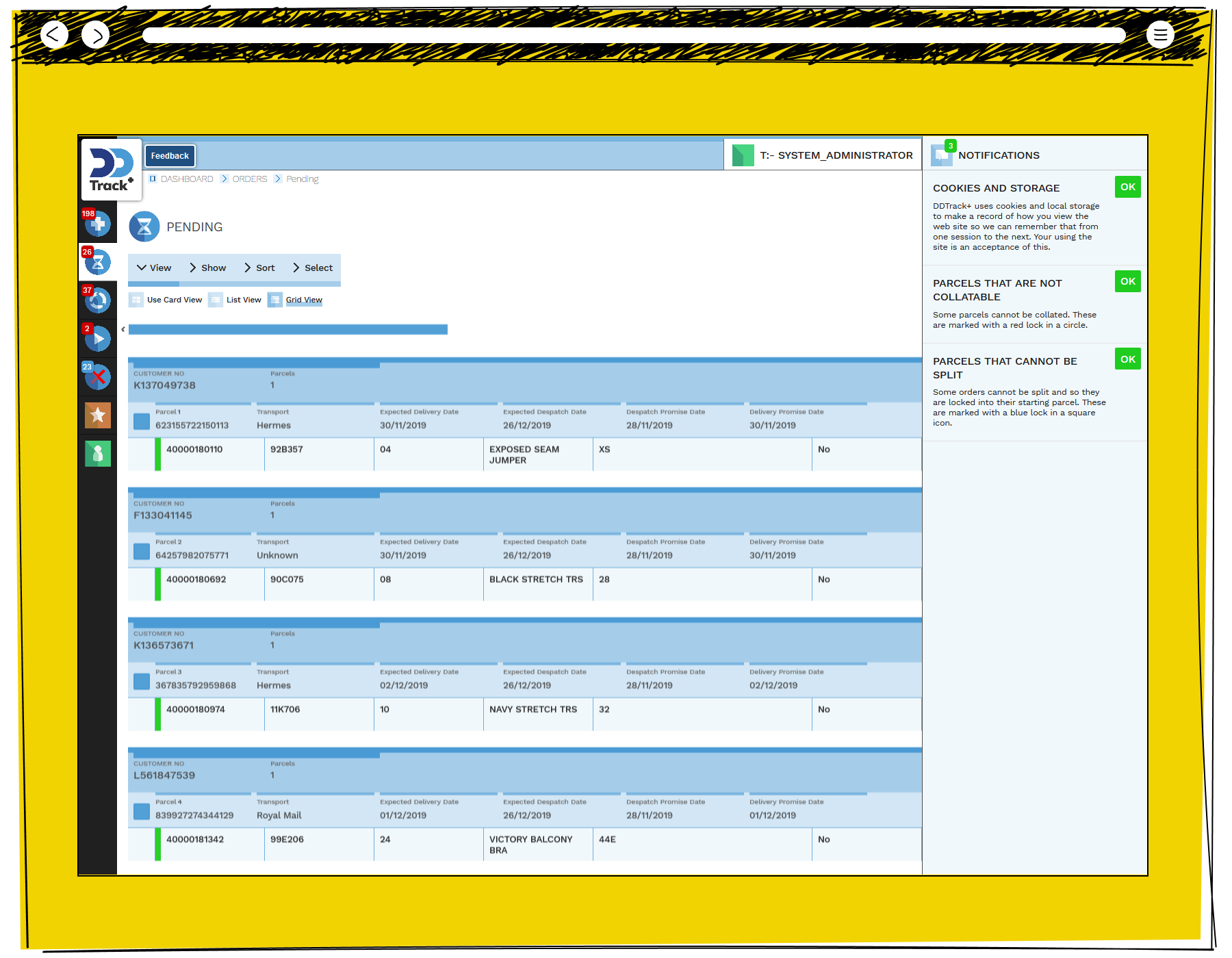
The DD Track plus pending orders screen in grid view showing four customer parcels via Hermes and Royal Mail with order line details including an Exposed Seam Jumper, Black Stretch Trousers, Navy Stretch Trousers and Victory Balcony Bra, with a notifications panel explaining cookie storage and parcel collation rules

The interface allowed users to customise their views, reflecting the differences between the 3rd Party customers and the volume of transactions they conducted. This illustrates the Grid View.

Sales Calculator for QA
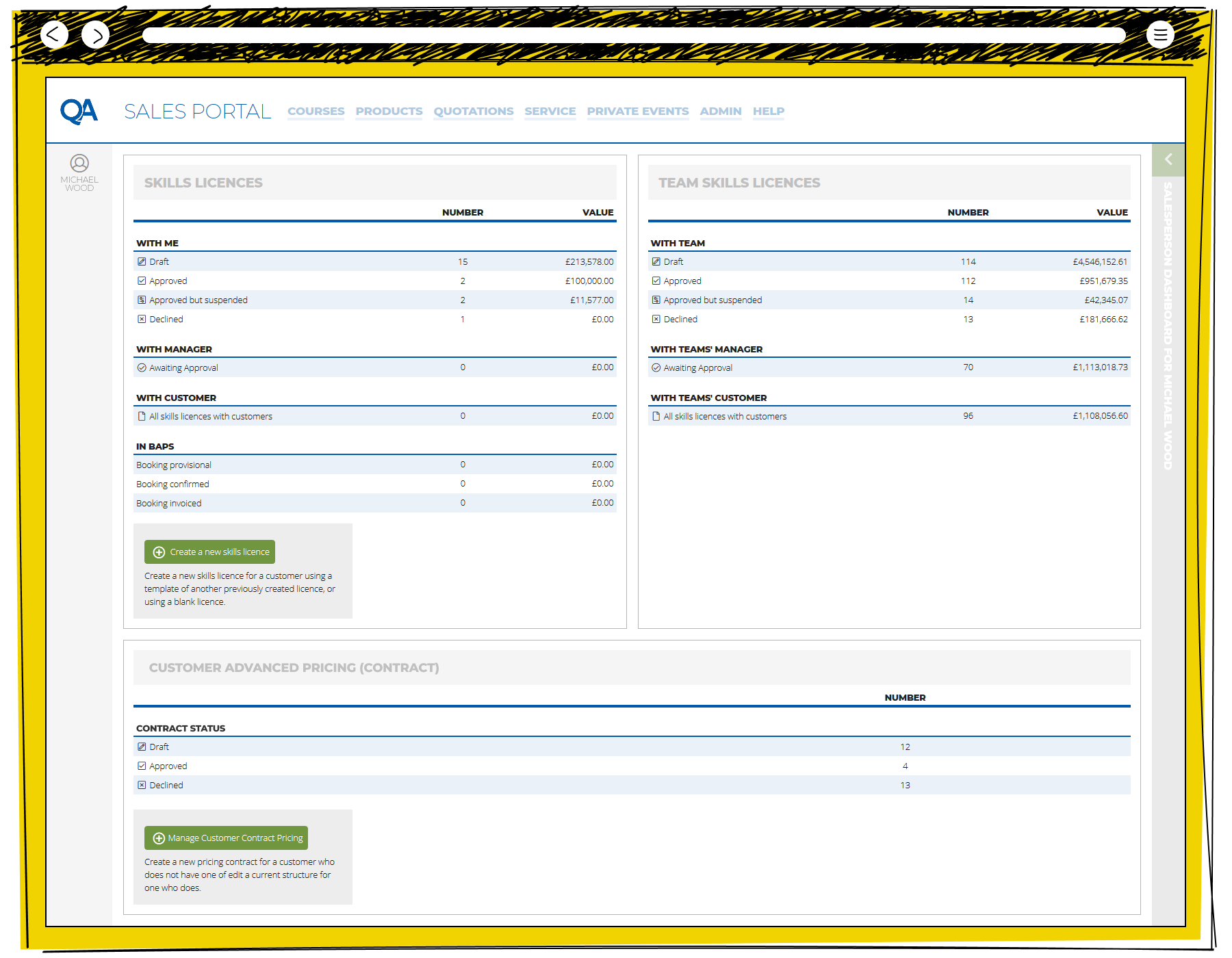
Wireframe-style mock-up of a sales portal dashboard showing navigation menus, account information, and several data tables summarizing licences, team activity, and customer pricing information.

The opening view of the QA Sales Portal reflects the application state as an every day working tool. It presents information quickly, and gives the Salespeople what the need to know the moment they start work.
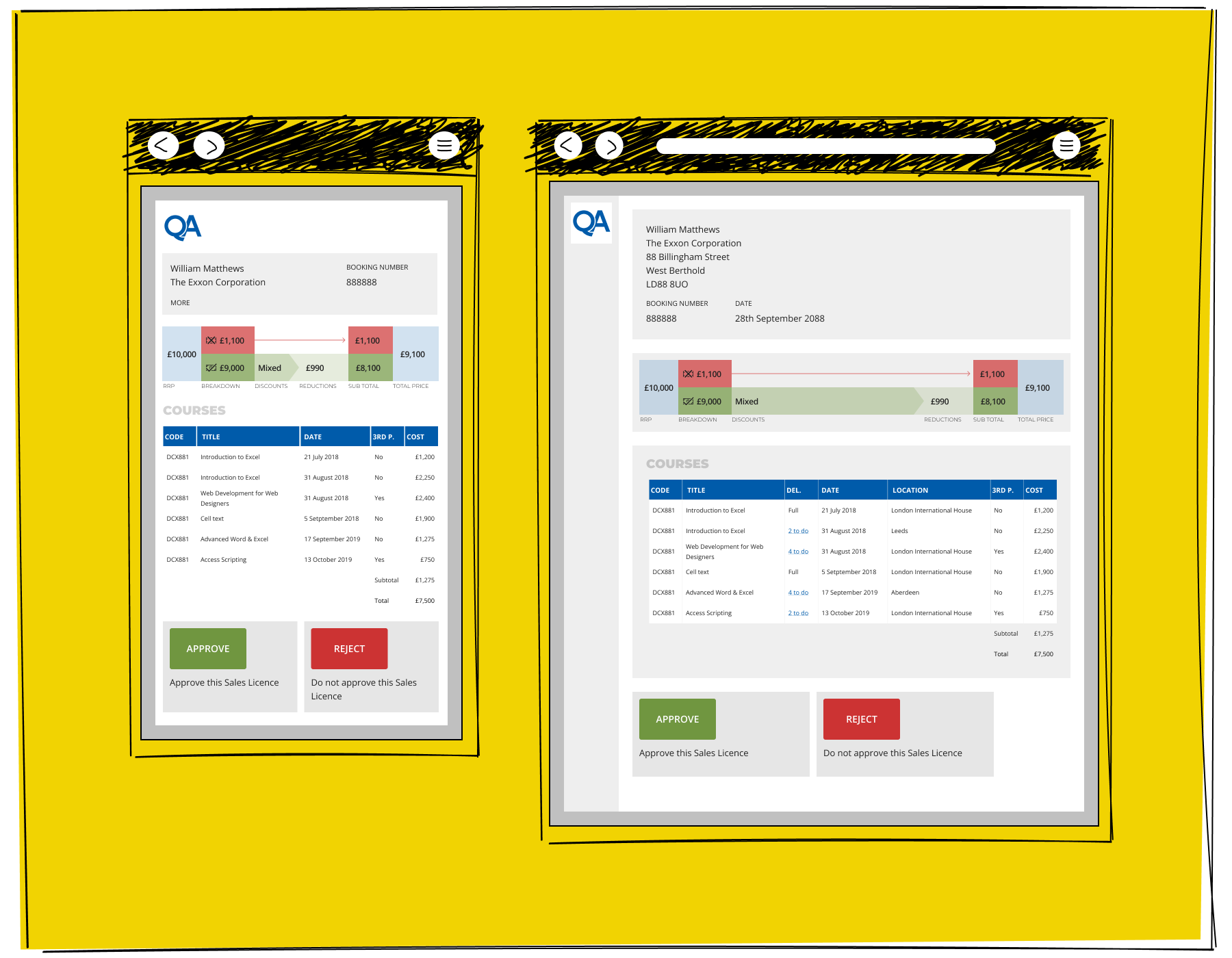
Two mobile screens showing the QA sales portal skills licence approval flow, displaying a booking summary with pricing breakdown for William Matthews at the Exxon Corporation with a list of six courses totalling seven thousand five hundred pounds and approve or reject buttons

Higher level approvals needed to be presented to Management with important information clearly presented for rapid judgement.
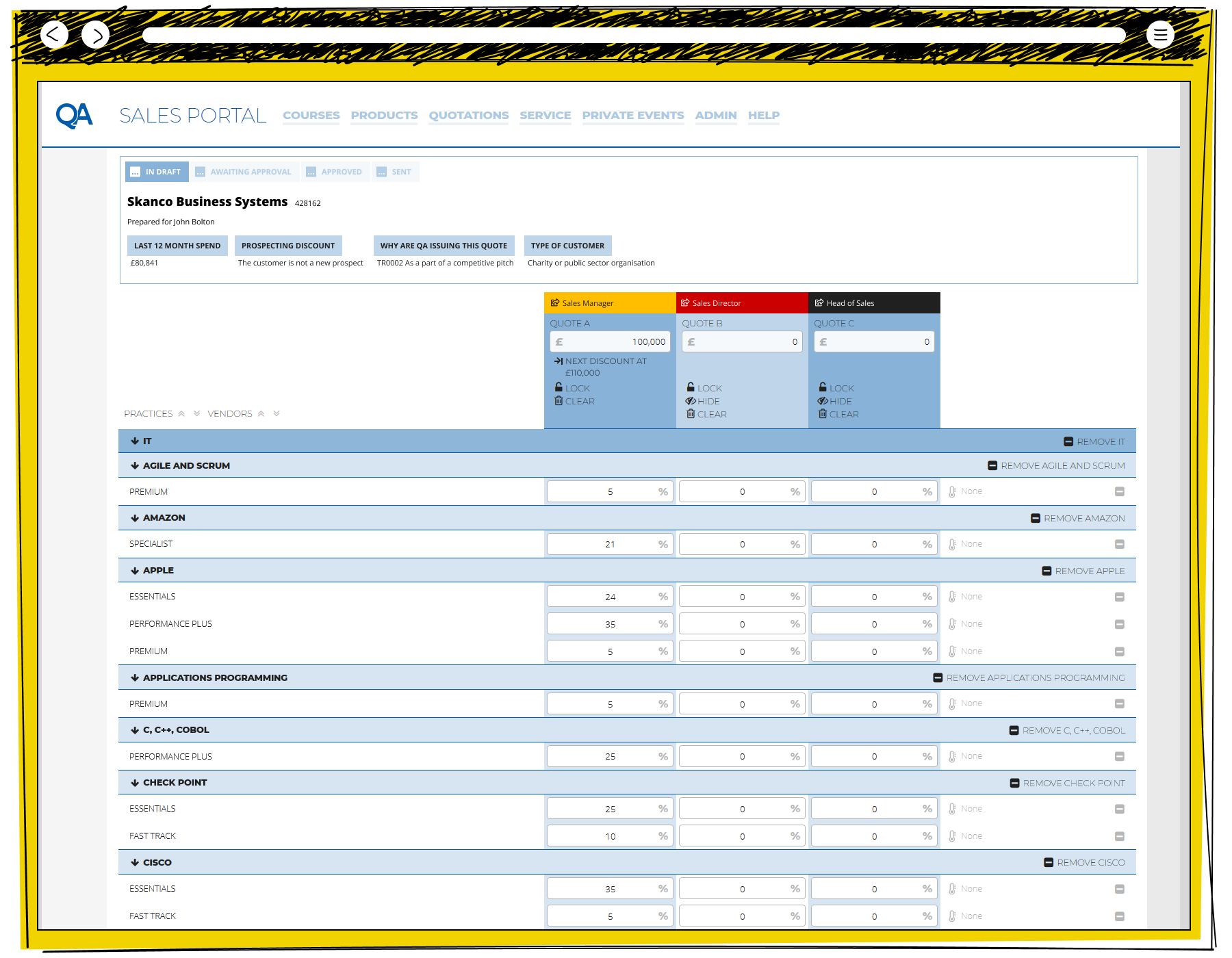
The QA Sales Portal quotations screen for Skanco Business Systems showing a draft quote prepared for John Bolton with three tier discount columns for sales manager, sales director and head of sales, and expandable vendor rows including Agile and Scrum, Amazon, Apple and Cisco with percentage discount fields

The Calculation page presents the base functionality of Excel, with bespoke tricks to maximise the usefulness of the tool. This view illustrates the Salespeople's desire to have three comparison quotes, and an understanding of the levels which they will need to be signed off at.
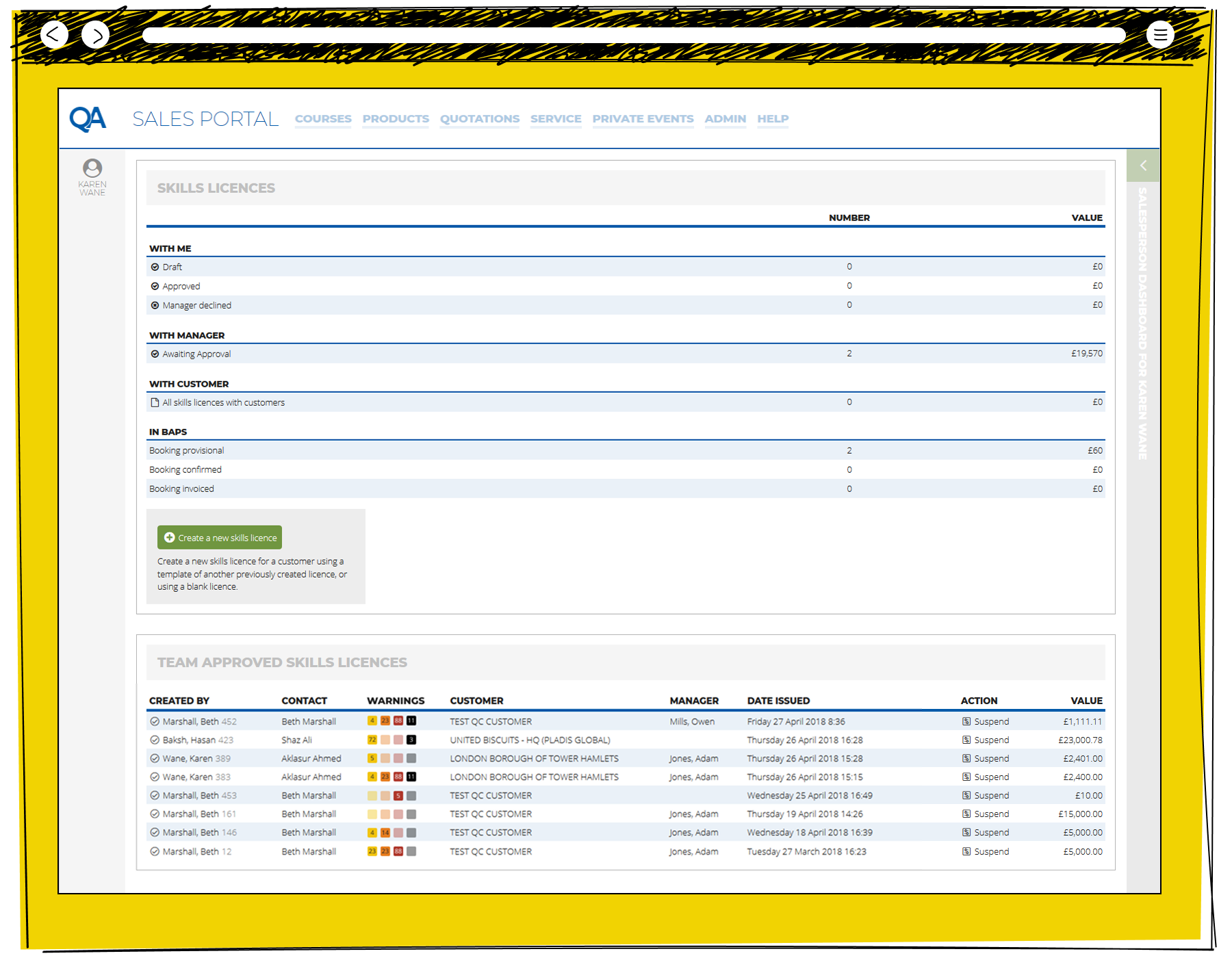
The QA Sales Portal skills licences dashboard for Karen Wane showing counts and values of licences by approval stage including two awaiting manager approval worth nineteen thousand five hundred and seventy pounds, alongside a team approved skills licences table listing recent licences with warnings, customers and values

The Management view of the opening page of the QA Sales Portal. The Team Approved Sales Licences illustrates the sign off levels which are currently active.
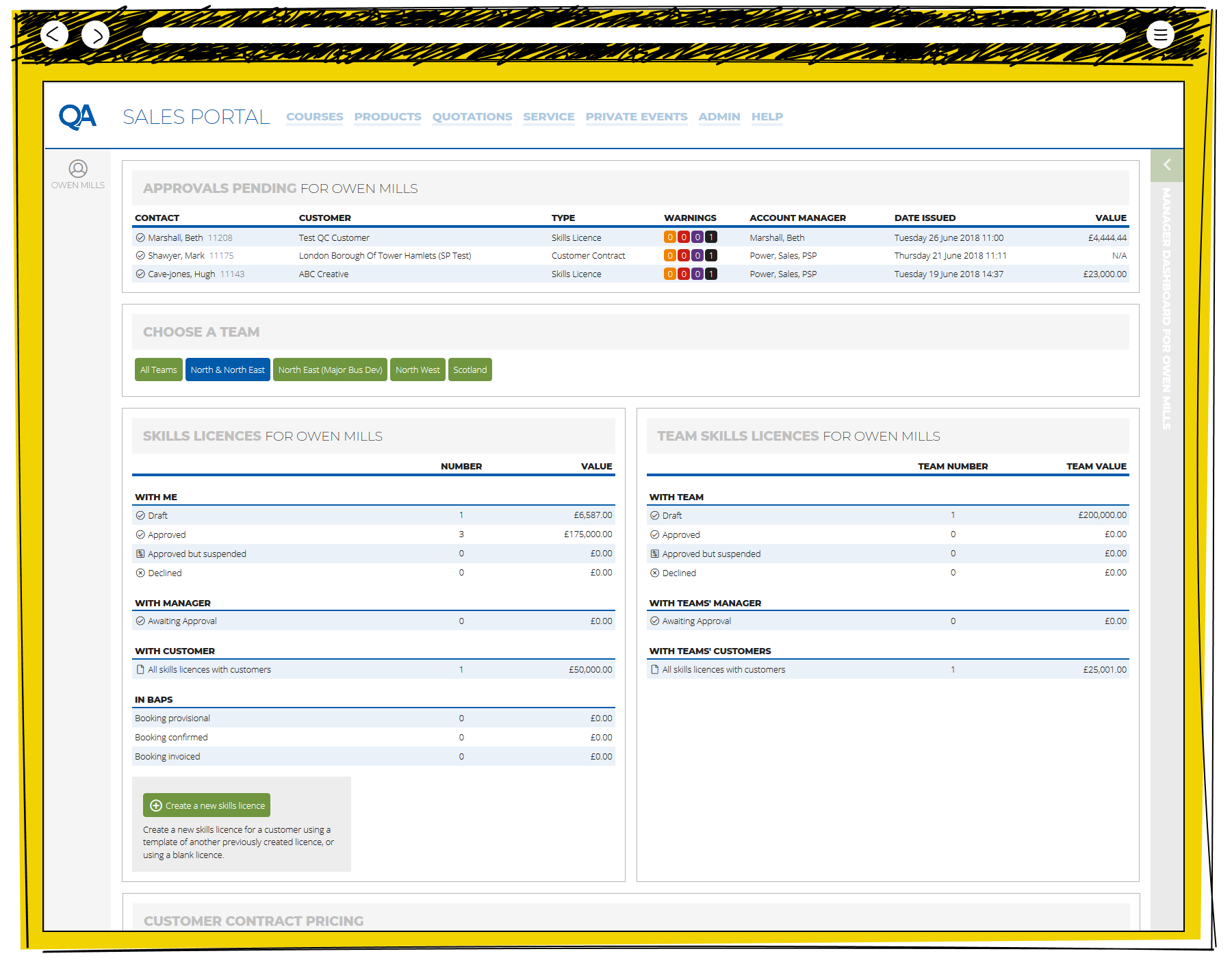
The QA Sales Portal manager dashboard for Owen Mills showing three approvals pending, a choose a team filter, individual and team skills licence summaries with values broken down by approval stage, and a customer contract pricing section

The Sale Team Leader view of the opening page of the QA Sales Portal allowing a view across any number of Regions, and pending approvals.

Portal for Lexxic
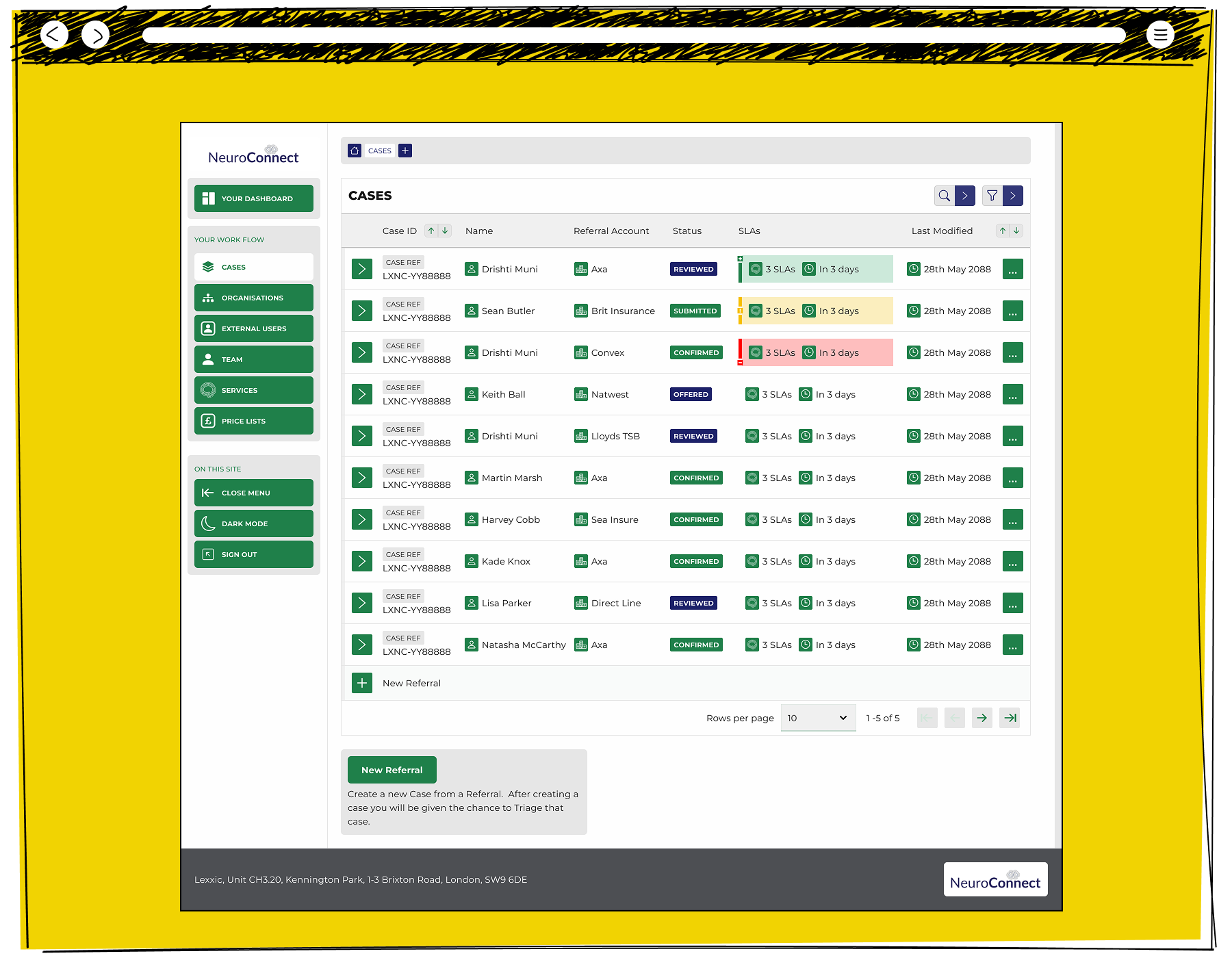
Screenshot of a case management dashboard showing a list of insurance or referral cases, with status indicators, service-level agreement tracking, and a navigation menu.

The overview of a Case Referrals on Neuroconnect, highlighting Service Level Agreements and different tolerances between different organisations.
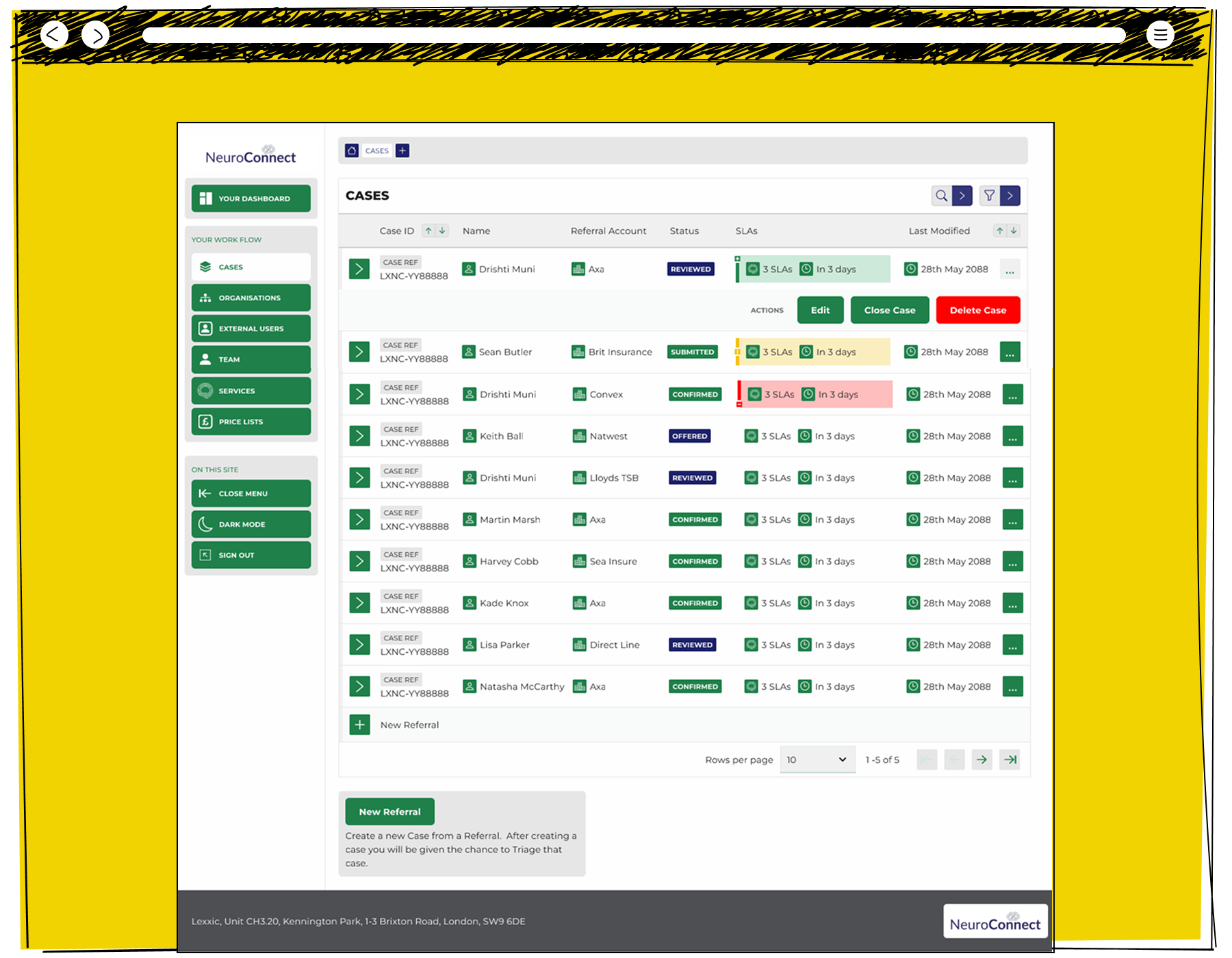
The NeuroConnect case management system showing a list of ten cases with referral accounts including Axa, Brit Insurance, Convex, Natwest and Direct Line, each with SLA status indicators and a three-option actions menu showing edit, close case and delete case for the first expanded row

The Neuroconnect interface allowed Administrators to transact within a single screen.
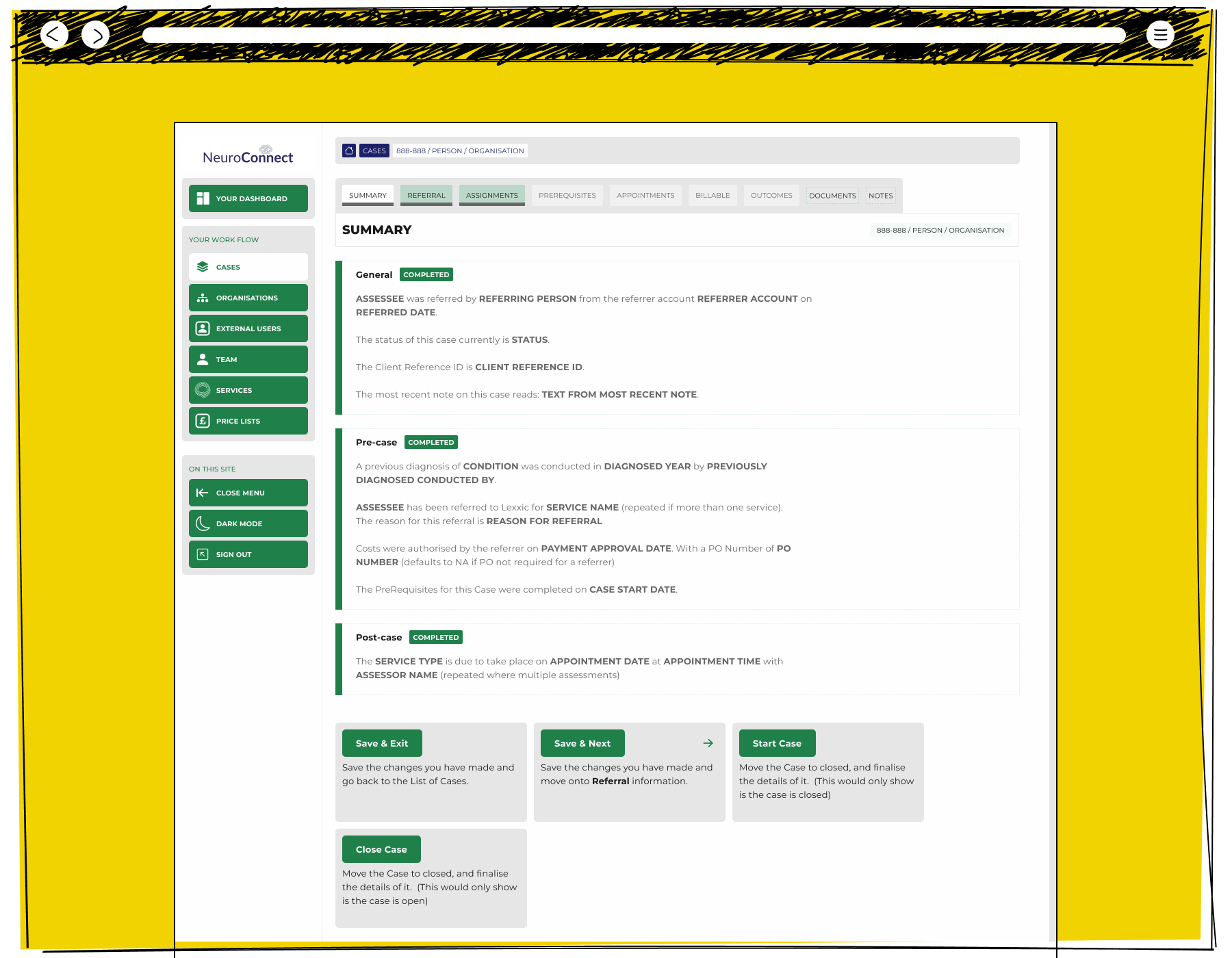
A NeuroConnect case summary page showing completed general, pre-case and post-case sections with placeholder text describing the assessee referral details, service type, diagnosis, payment authorisation, prerequisites and upcoming appointment information, with save, next and start case action buttons

Neuroconnect created summaries of the information within the system. Later, I would be told, that this page was rebranded as an "AI Summary", which is interesting, given that I am the person who wrote the code which powered it.
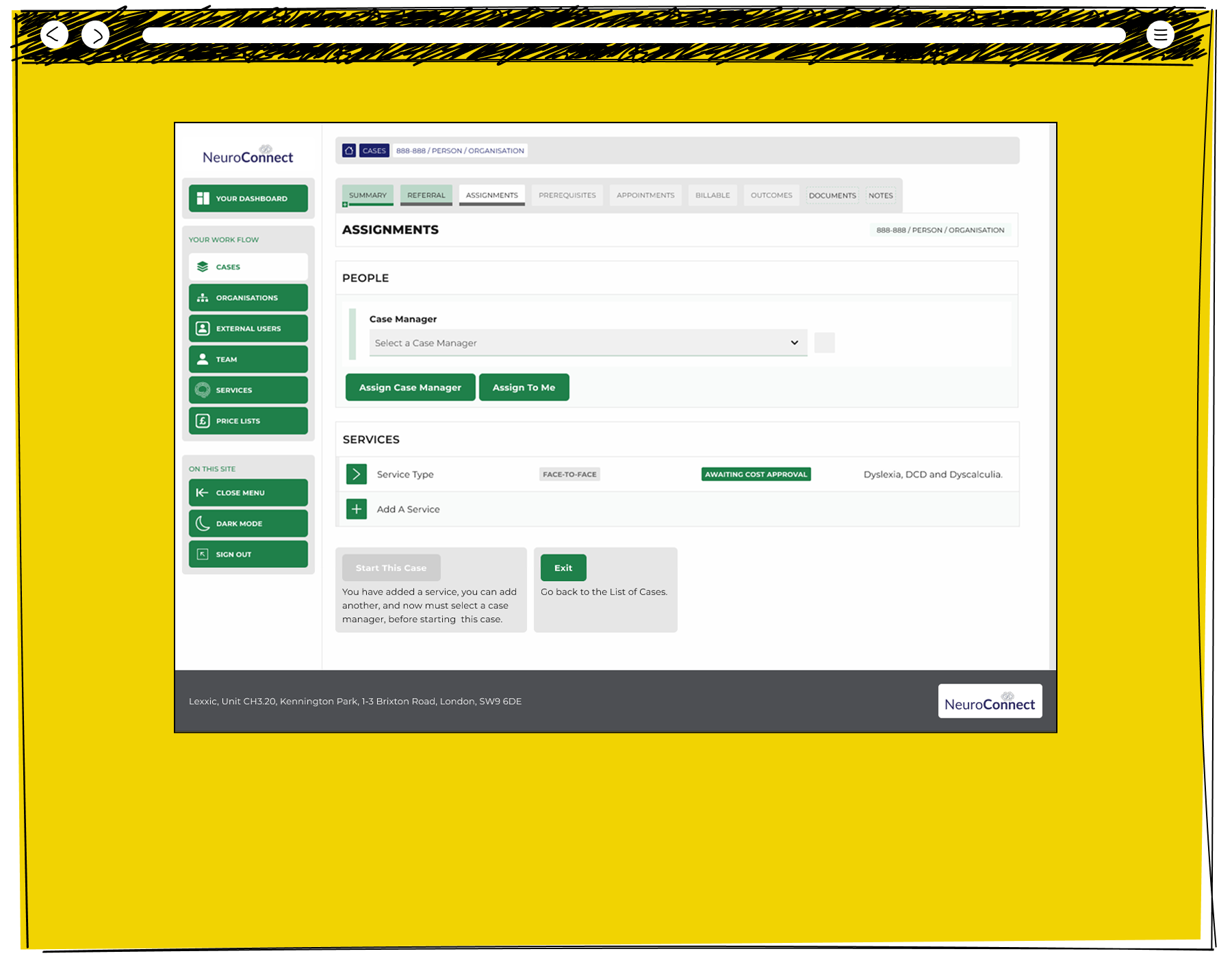
The NeuroConnect case assignments screen showing a case manager selection dropdown with assign and assign to me buttons, a services section listing a face-to-face service awaiting cost approval for dyslexia DCD and dyscalculia, and a start this case or exit prompt

The details pages of Neuroconnect were a bespoke creation in negotiation with the wider team, allowing them to get into rich detail where they needed it.
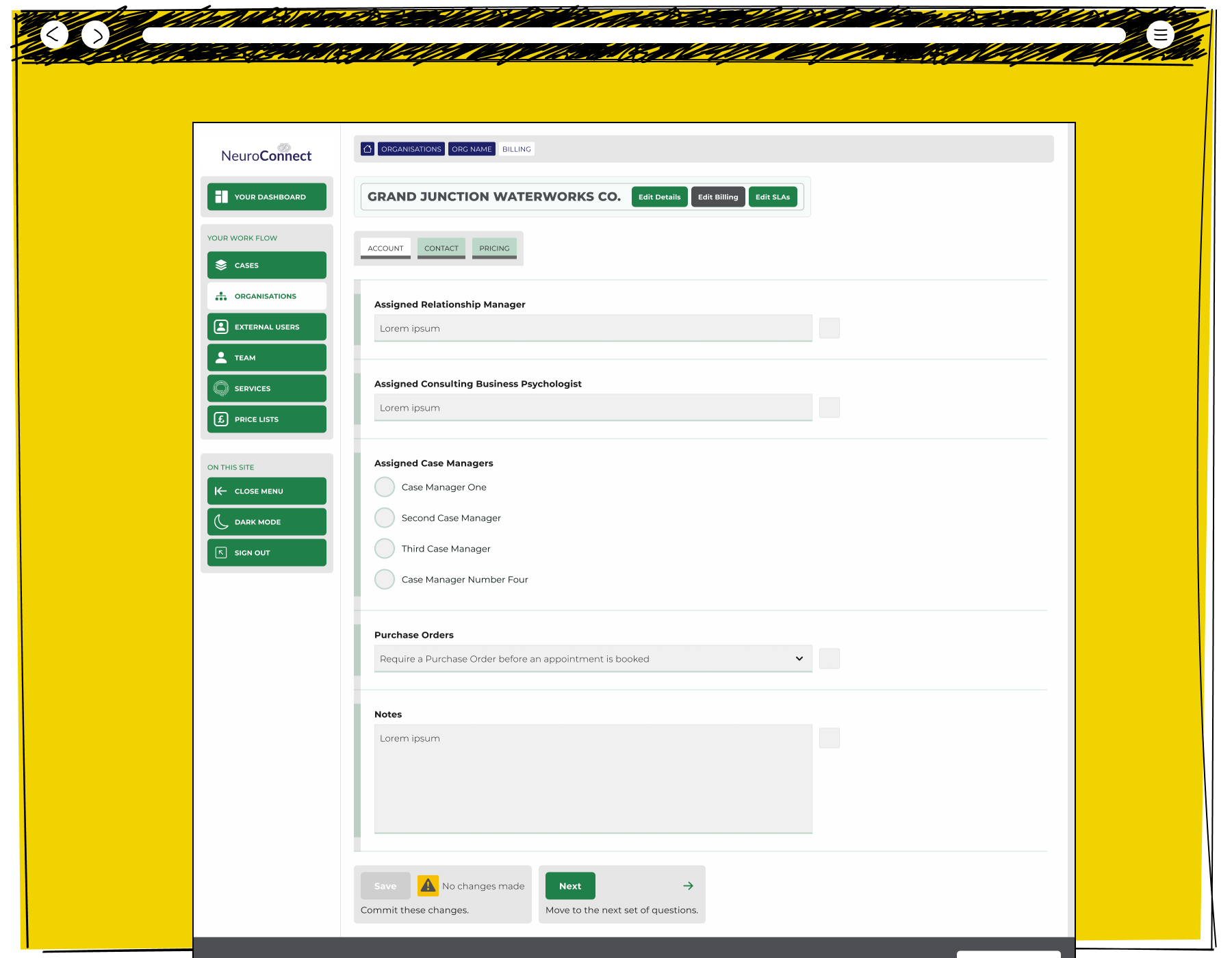
The NeuroConnect organisation account screen for Grand Junction Waterworks Co showing fields for assigned relationship manager, consulting business psychologist, case managers, purchase order requirements and notes, with save and next action buttons

When an Administrator needed full detail, the interface needed to add layers of complexity while retaining a clear look.
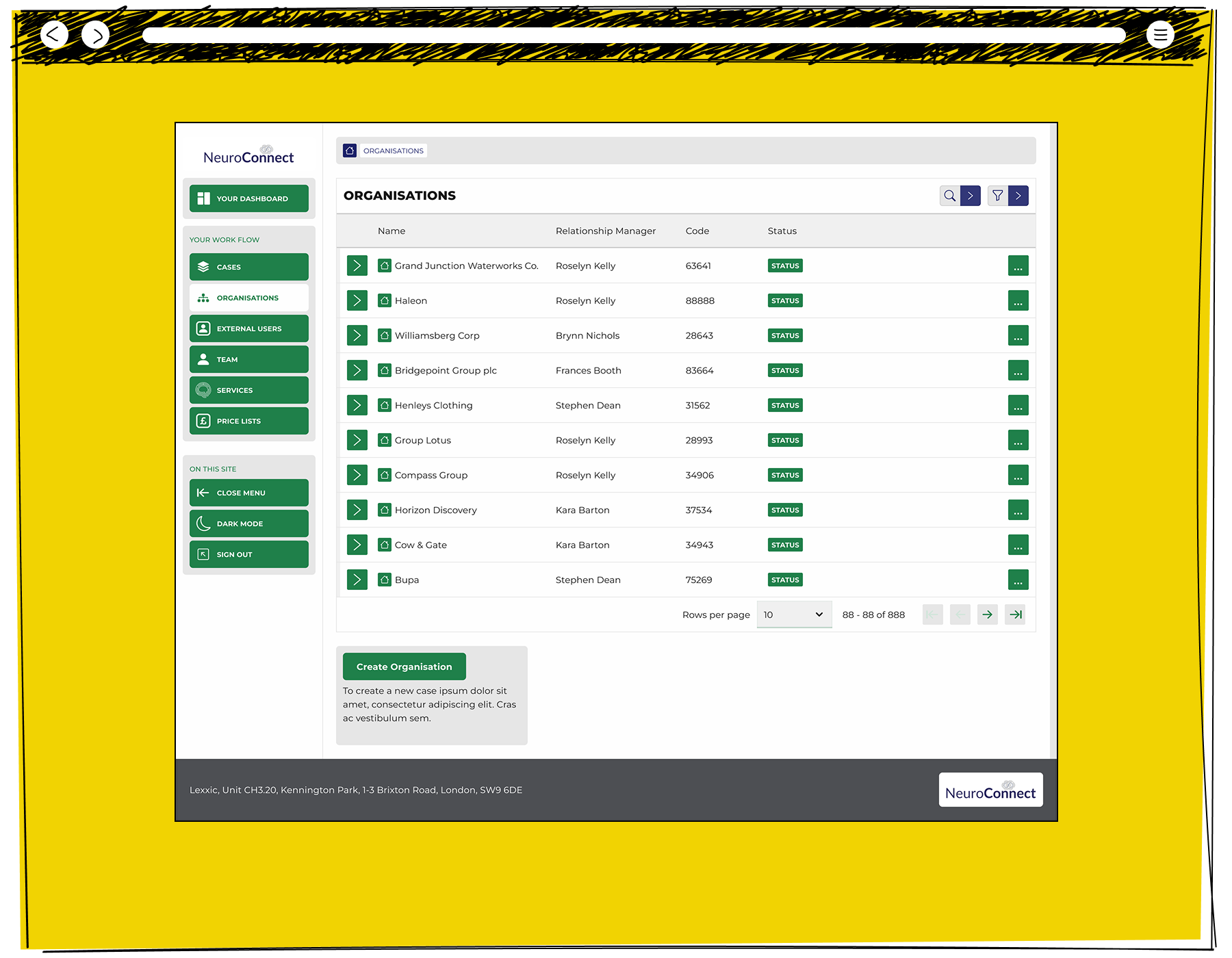
The NeuroConnect organisations list showing ten client companies including Grand Junction Waterworks, Haleon, Bridgepoint Group and Bupa, each with an assigned relationship manager, organisation code and status indicator, and a create organisation button below

The interface centred around transacting cases, but it also needed to be flexible enough to naturally present broader information.

Holiday Home Sales for Parkdean Resorts
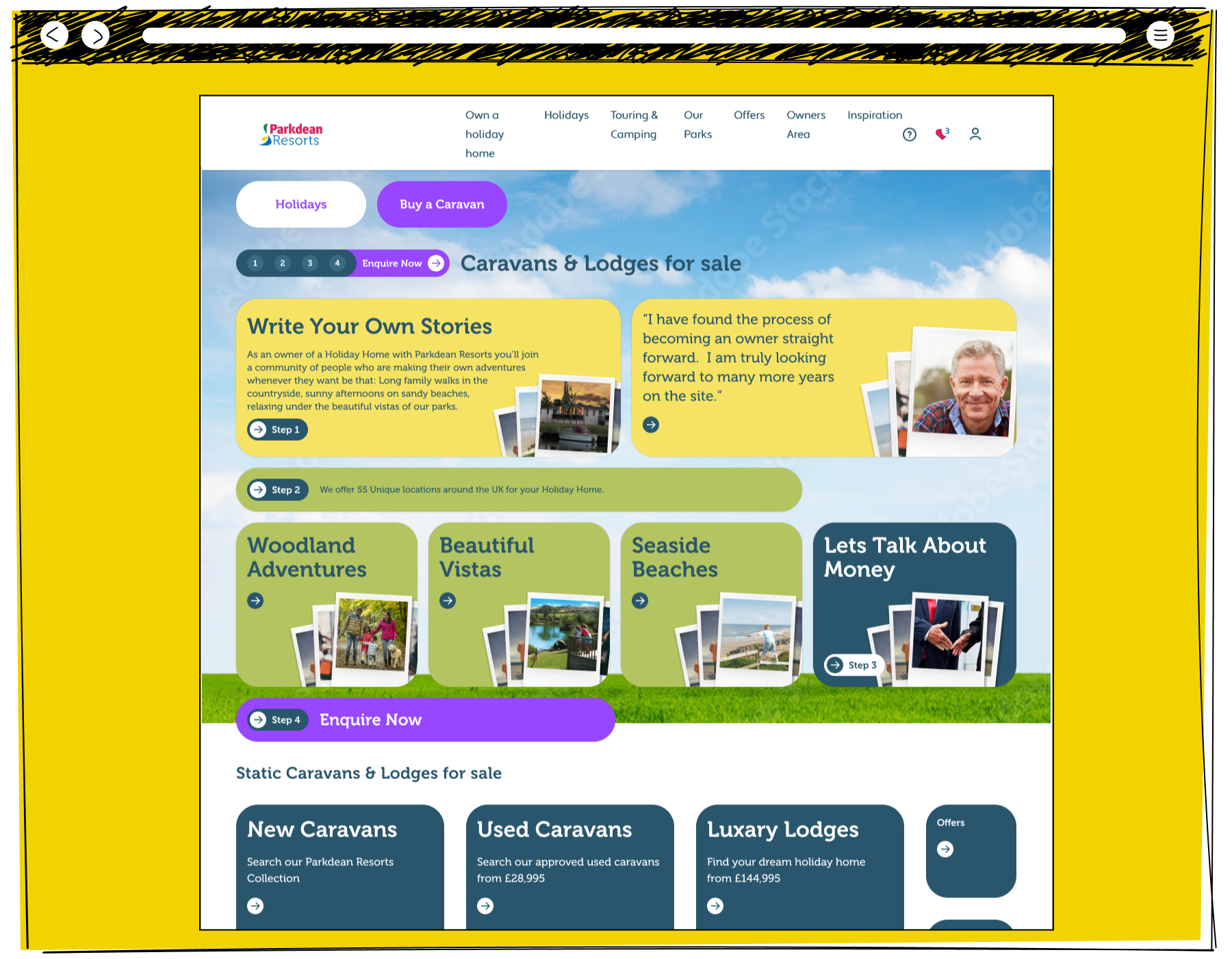
Screenshot of a holiday park website promoting caravans and lodges for sale, featuring colourful navigation panels, customer testimonials, and property categories.

The opening page of the raw design of the Parkdean Holiday Home Sales section.
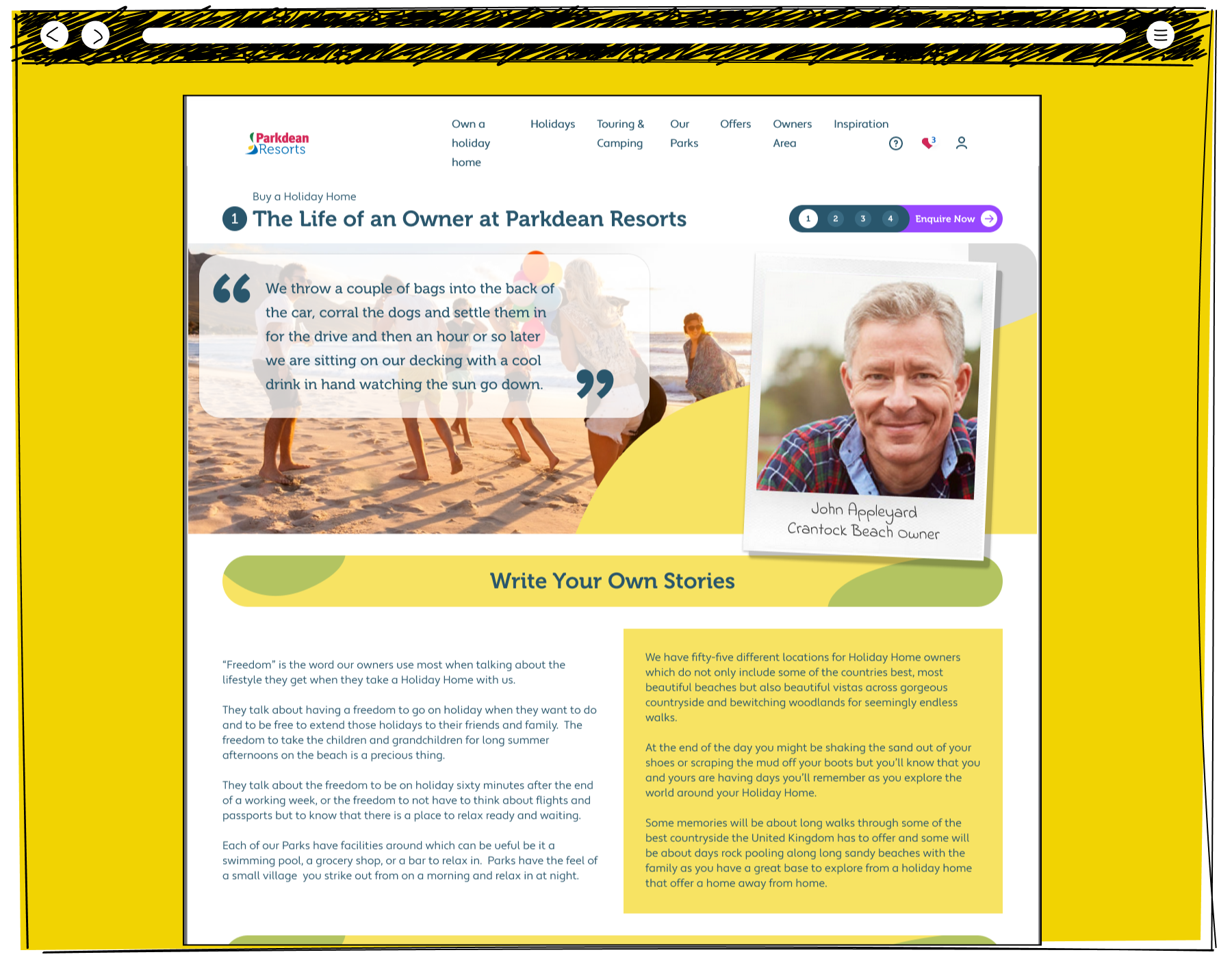
The Parkdean Resorts life as an owner page showing the top hero section with a beach photo, a quote from Crantock Beach owner John Appleyard, a write your own stories heading, and two columns of body text describing the freedom and locations available to holiday home owners across fifty-five UK parks

The "Write Your Own Stories" pages of the Life as an Owner at Parkdean Resorts.
And Then, Some More

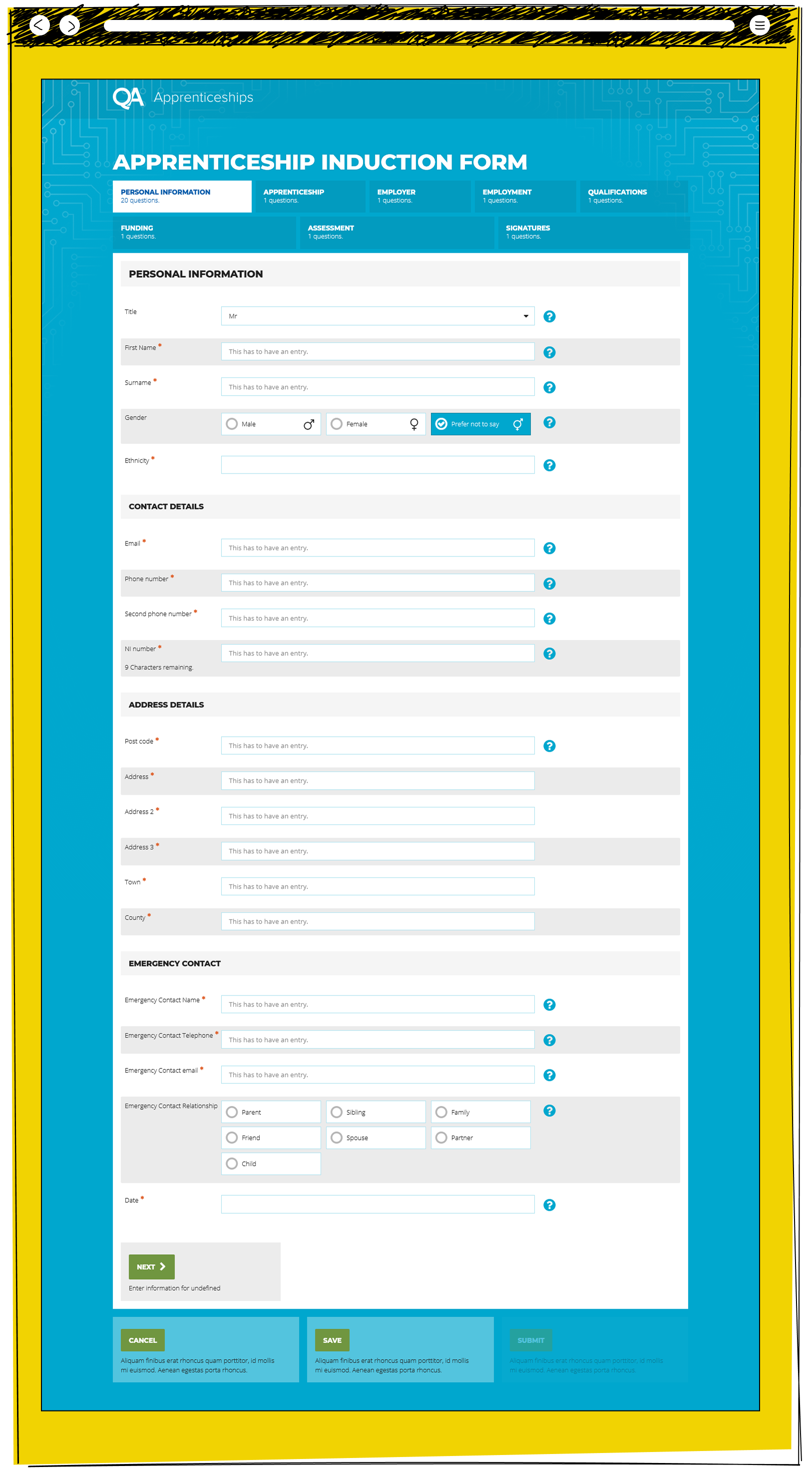
  • The QA Apprenticeships induction form showing the personal information section with fields for title, name, gender, ethnicity, contact details, address and emergency contact, with a multi-section progress bar across the top
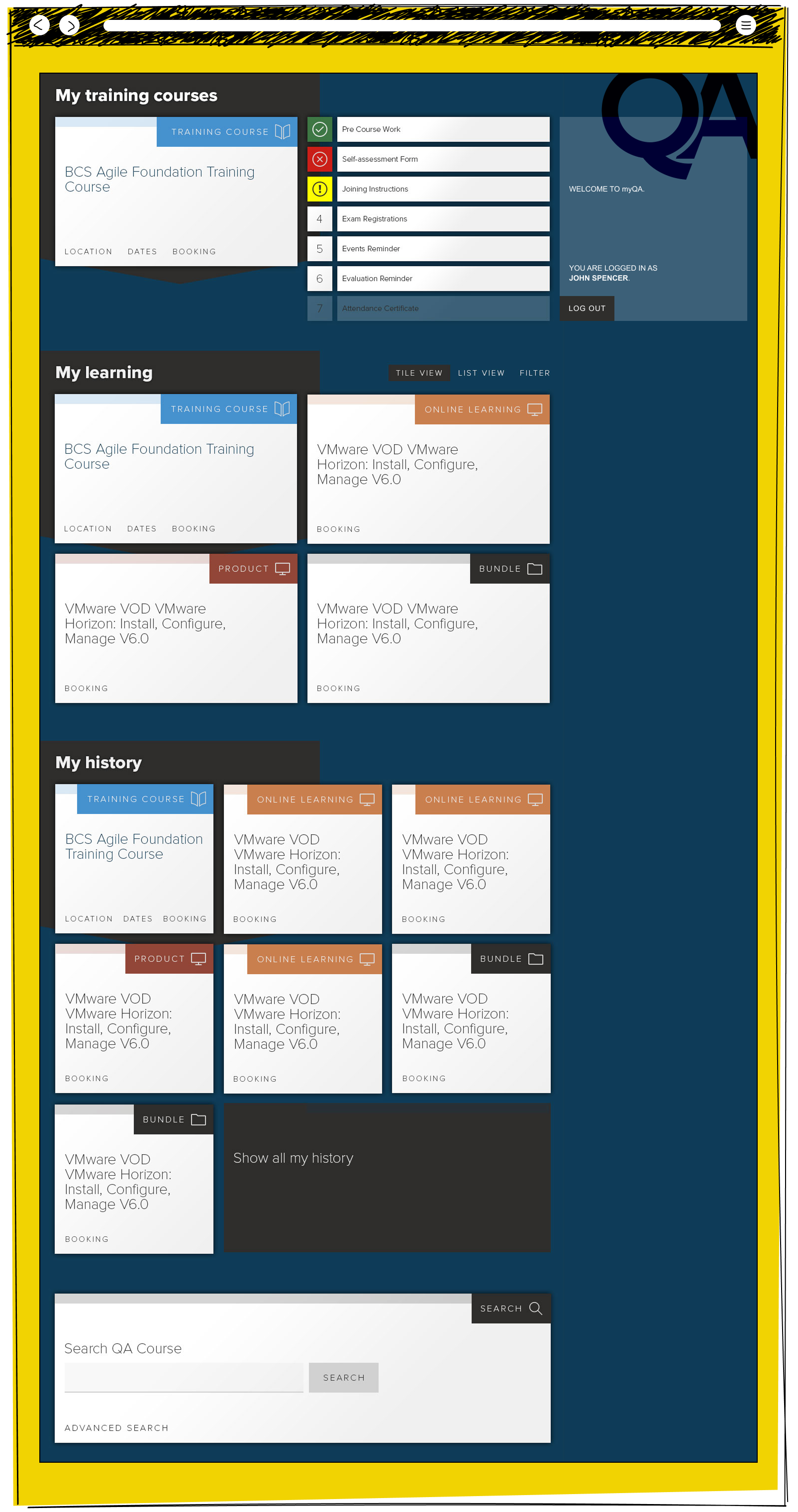
  • The myQA learning portal dashboard showing a training course checklist panel, a my learning section with course tiles in different formats including training, online and bundle, a my history section, and a course search box
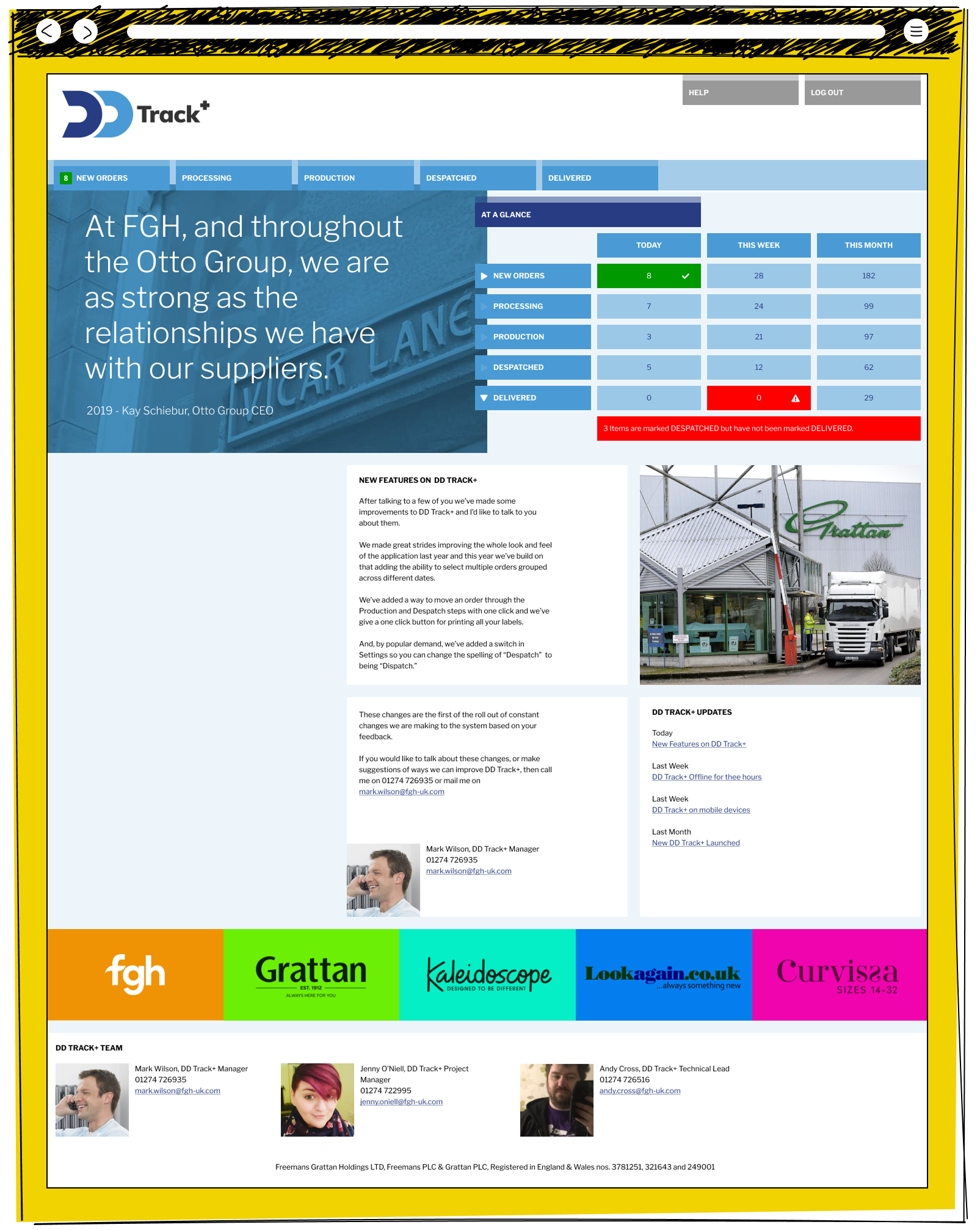
  • The DD Track plus homepage showing an at a glance order statistics table for today, this week and this month, a new features news article from the DD Track manager, a Grattan warehouse photo, update links, and a team contacts section with photos
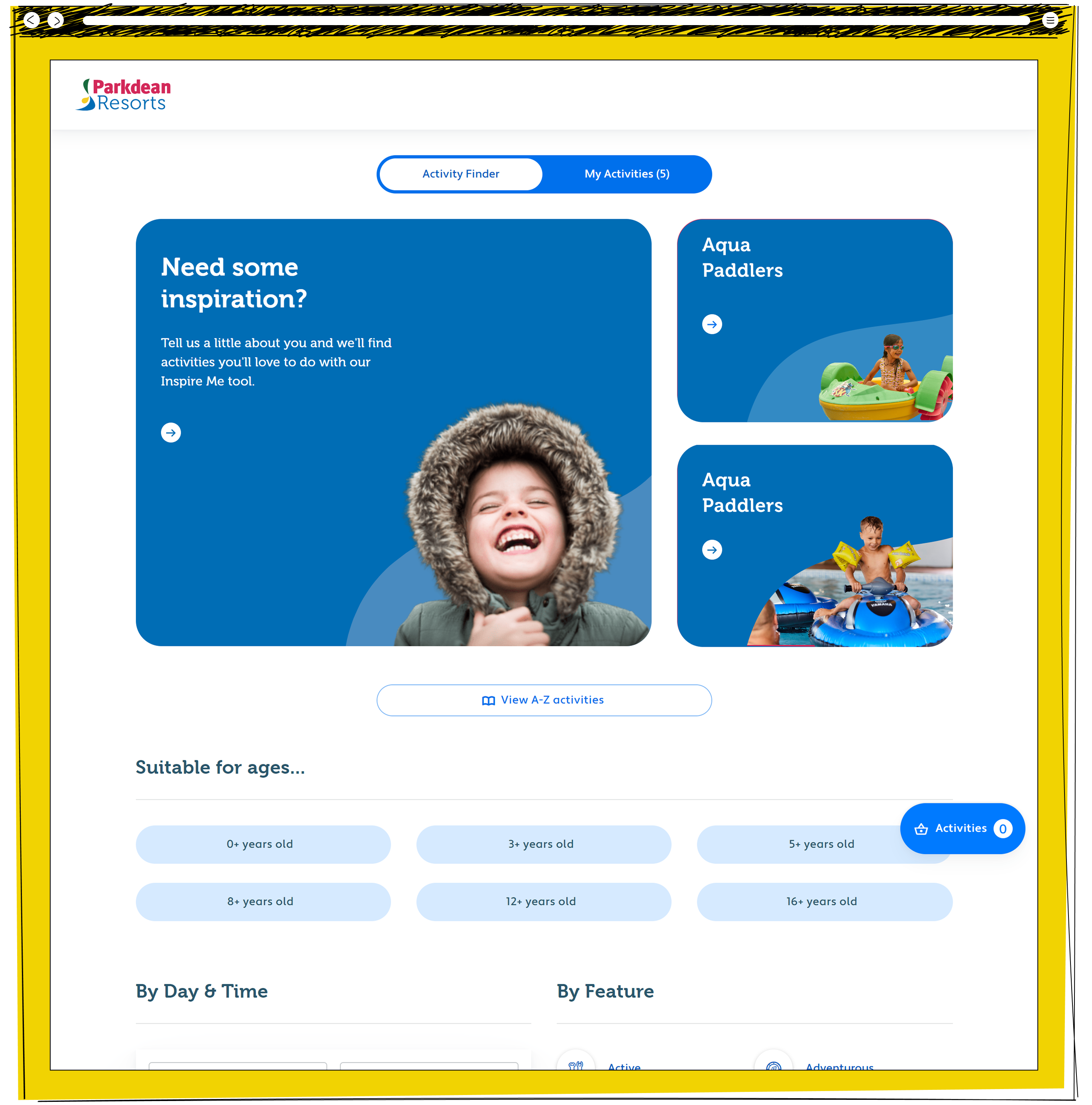
  • The Parkdean Resorts activity finder page showing an inspire me panel, two Aqua Paddlers activity tiles, and filter options organised by age range, day and time, and activity feature
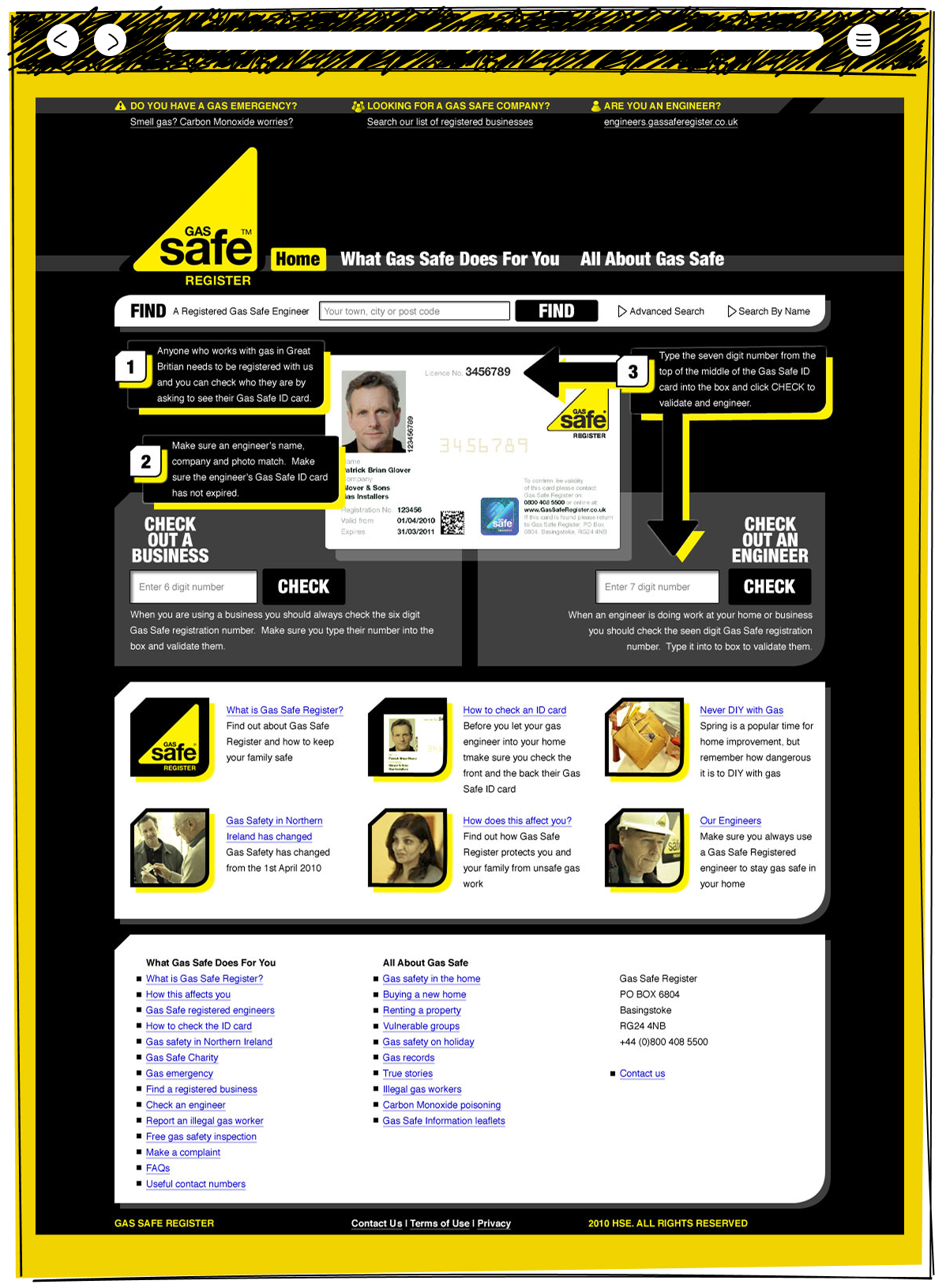
  • The Gas Safe Register homepage with a find a registered engineer search tool, a three step illustrated guide to checking a Gas Safe ID card, business and engineer number verification boxes, and a grid of safety information articlesxxx
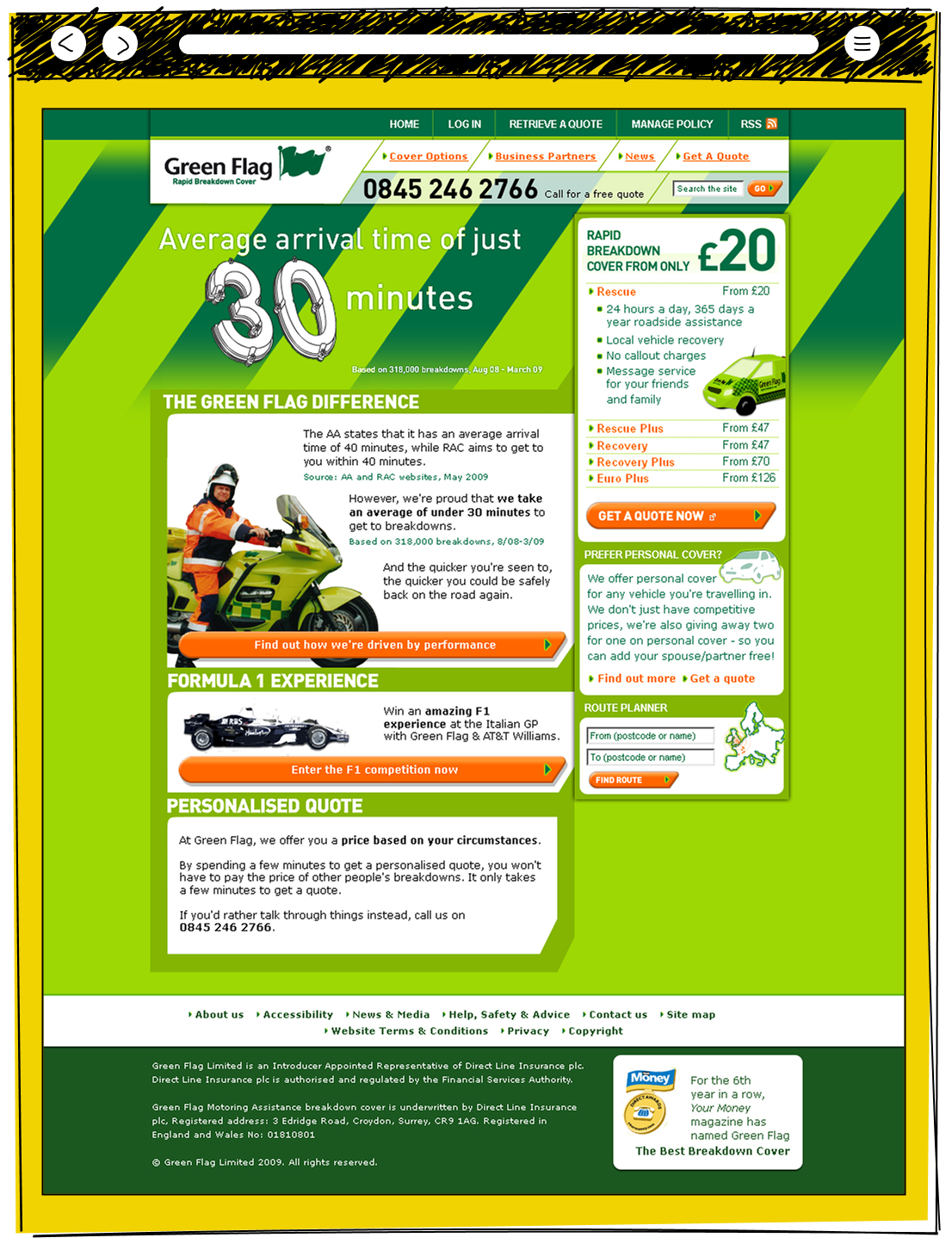
  • The Green Flag breakdown cover homepage promoting an average 30 minute arrival time, with cover pricing from 20 pounds, a Formula 1 competition promotion, a personalised quote section, and a route planner tool
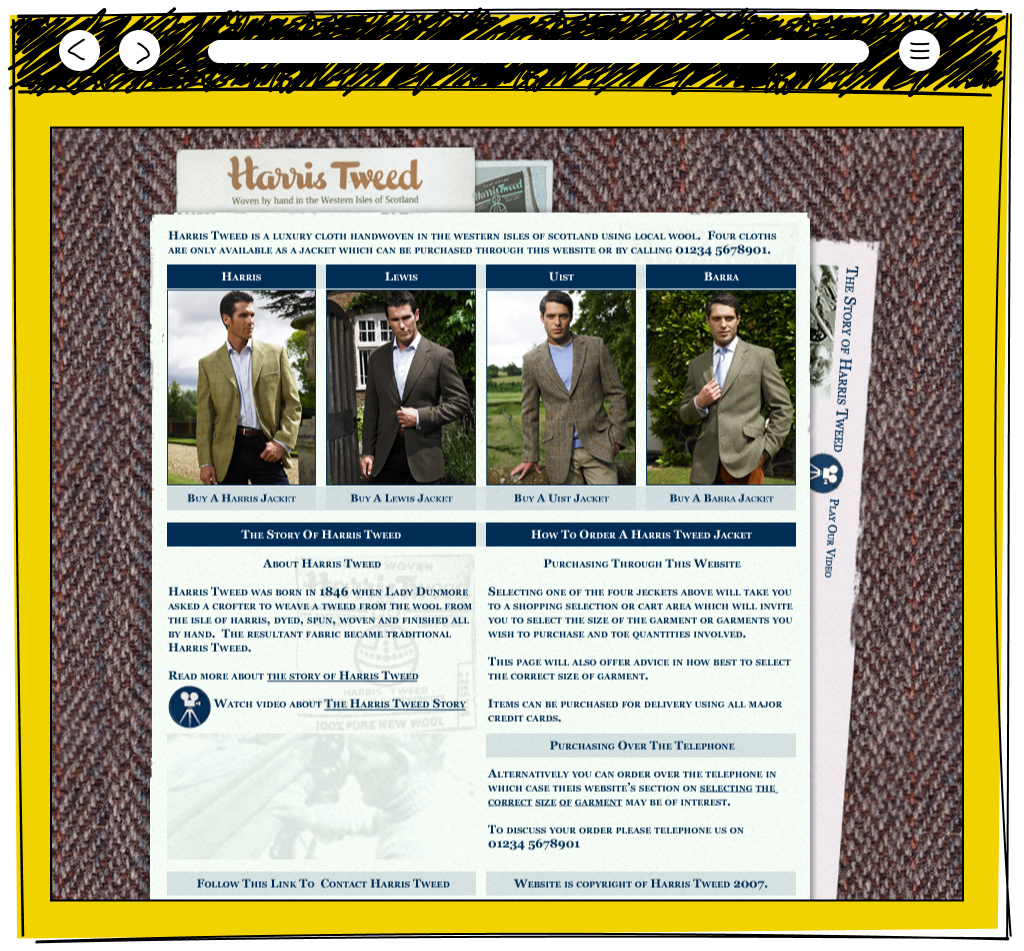
  • The Harris Tweed website homepage showing four jacket styles named Harris, Lewis, Uist and Barra modelled by men outdoors, with sections on the history of Harris Tweed dating to 1846 and instructions for ordering online or by telephone
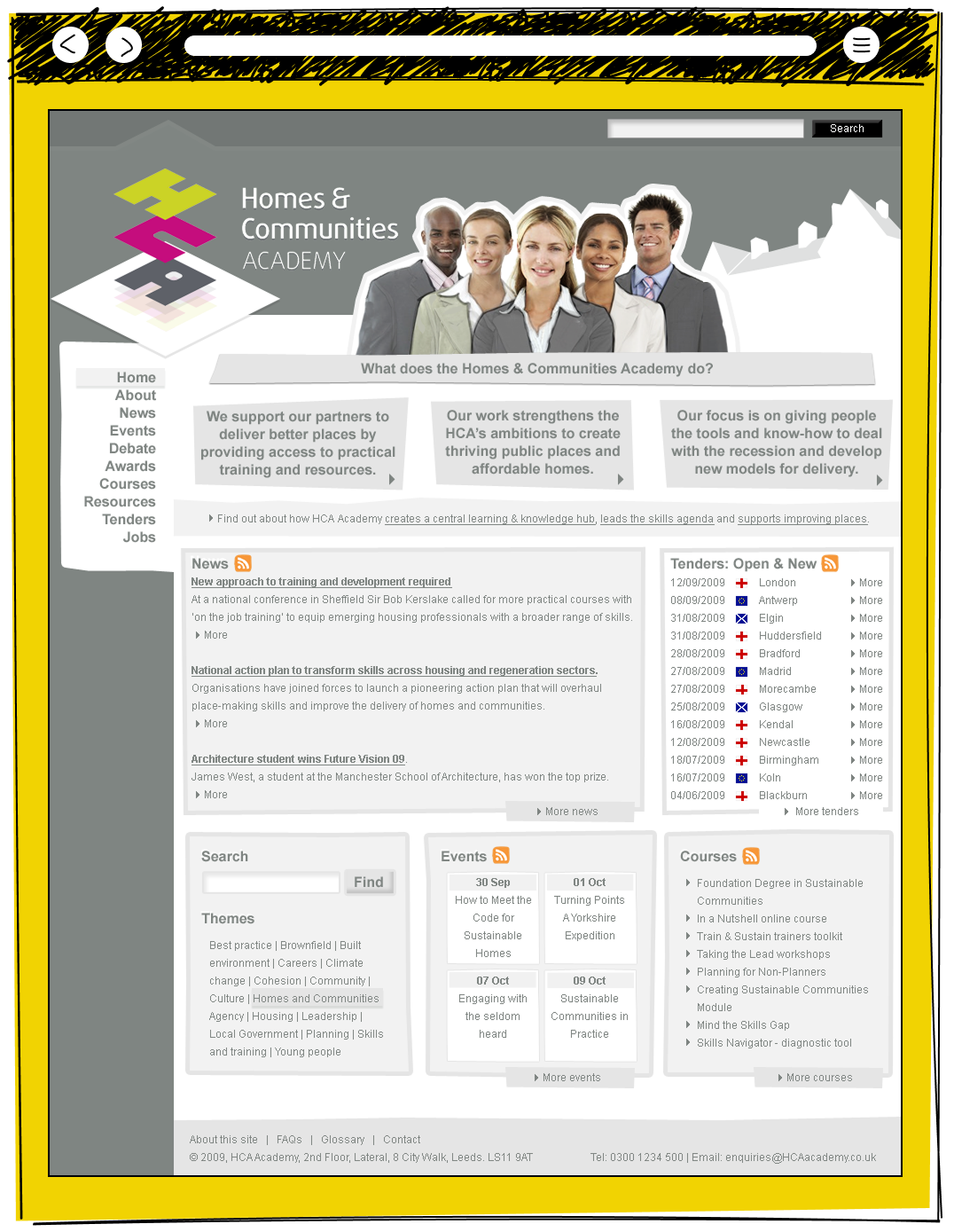
  • The Homes and Communities Academy website homepage with three mission statement panels, a news section with housing and skills articles, a tenders listing with UK and European locations, and panels for events, courses and themed search
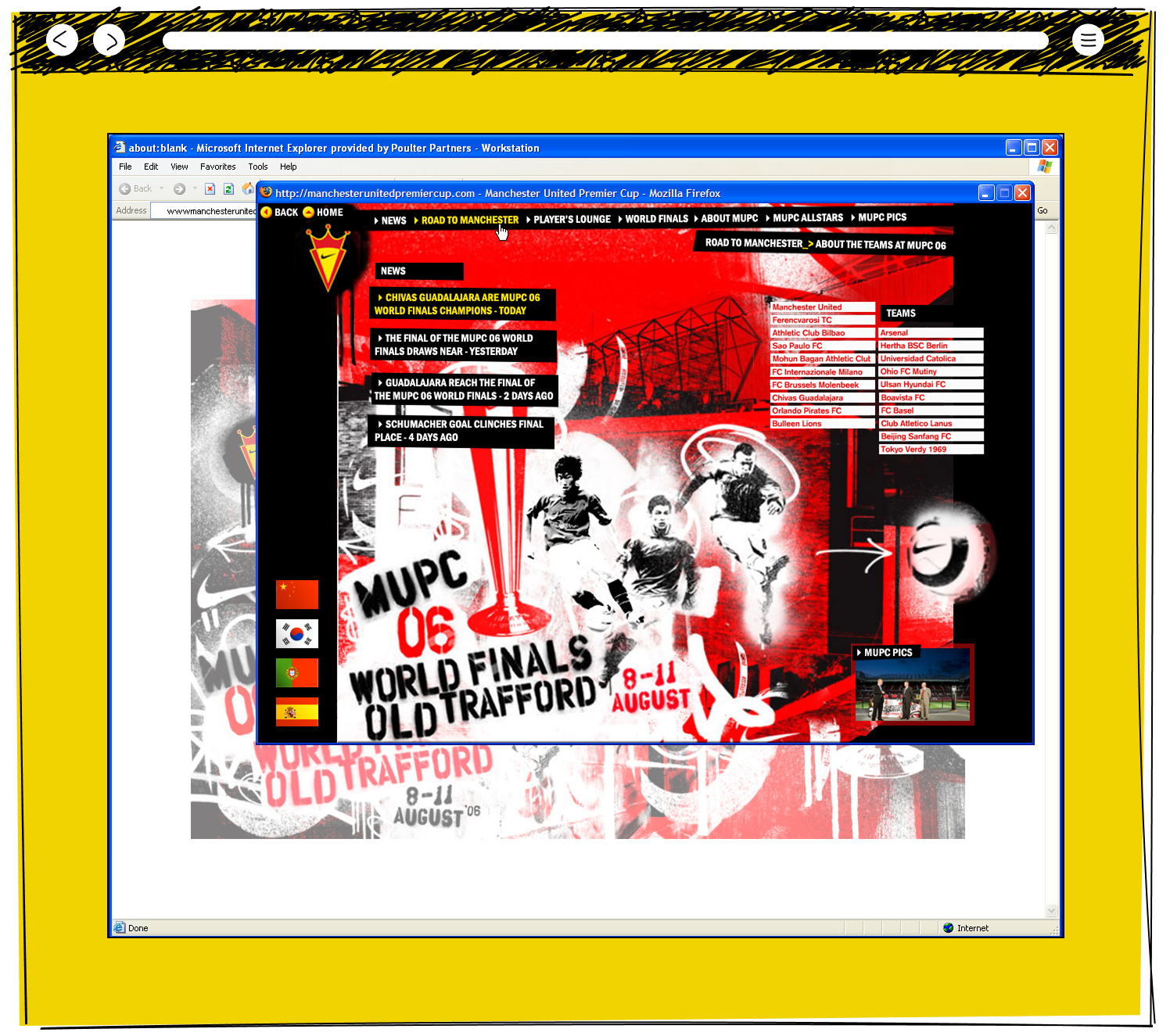
  • The Manchester United Premier Cup 2006 website showing a dramatic red and black graphic design with news of Chivas Guadalajara winning the World Finals at Old Trafford, alongside a list of competing international teams
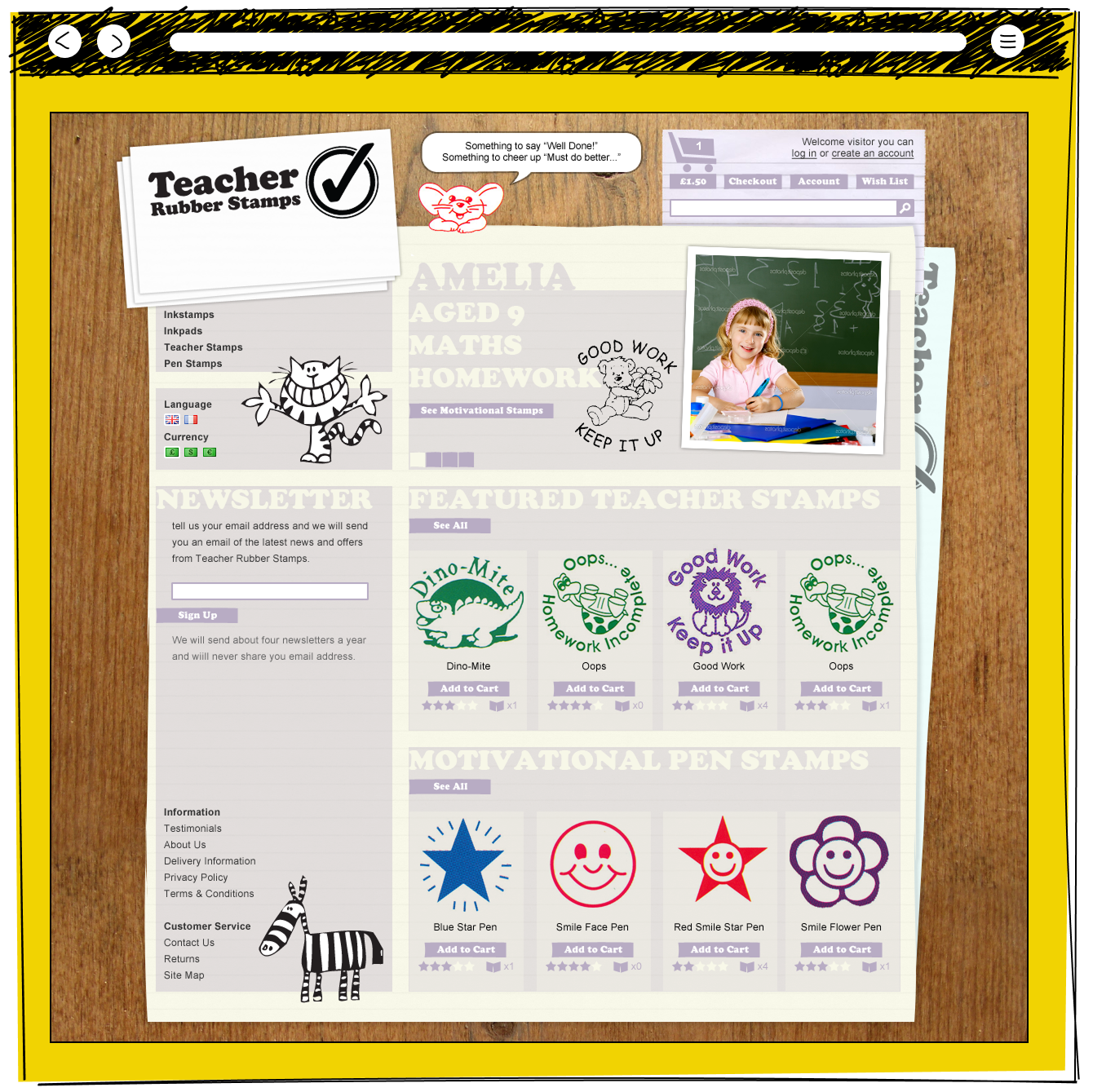
  • The Teacher Rubber Stamps e-commerce homepage showing featured motivational rubber stamps including Dino-Mite, Good Work and Oops designs alongside motivational pen stamps, with a newsletter signup and navigation for inkstamps, inkpads and pen stamps
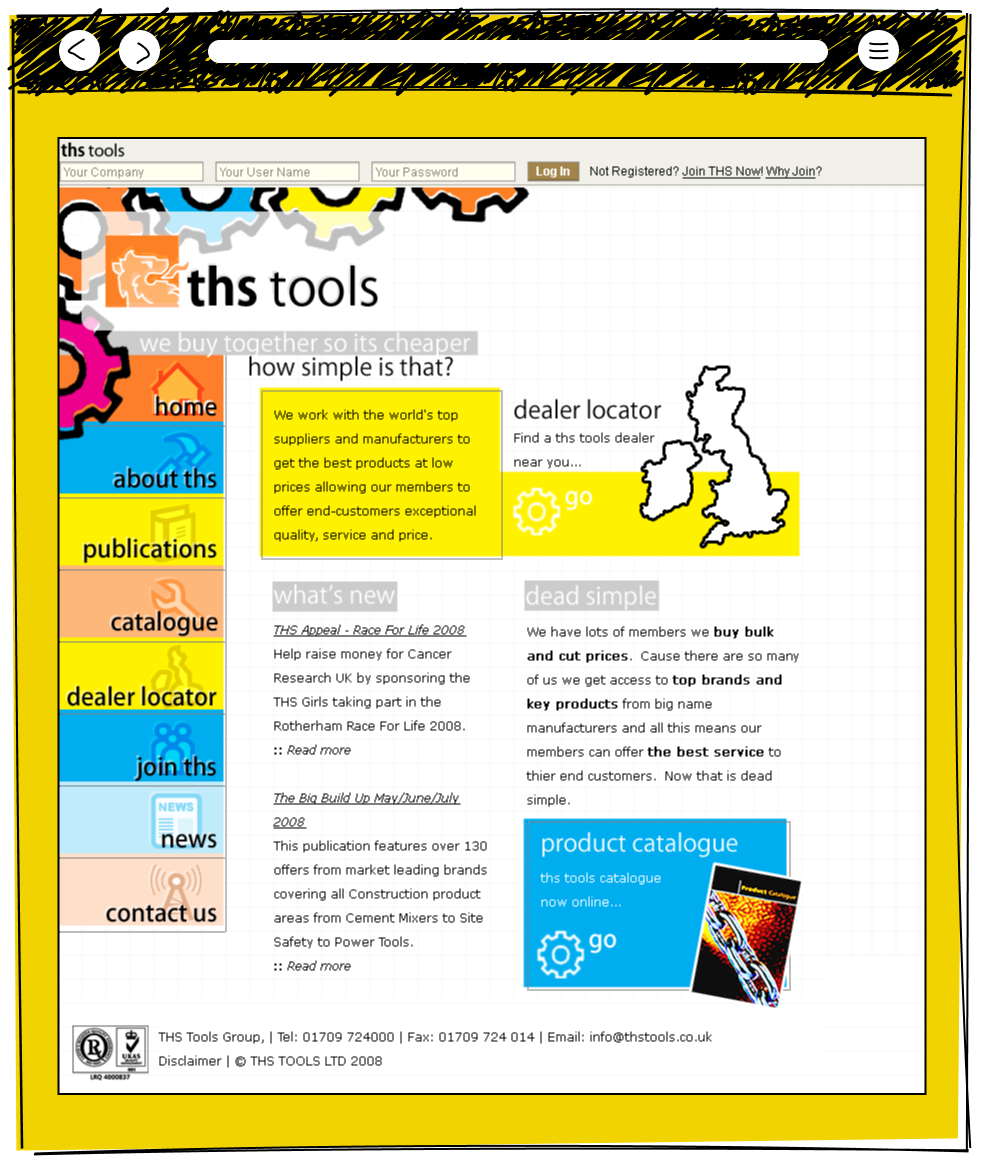
  • The THS Tools homepage for a trade buying group with a dealer locator map of the UK, a what's new news section, a dead simple bulk buying benefits explanation, and a link to the online product catalogue
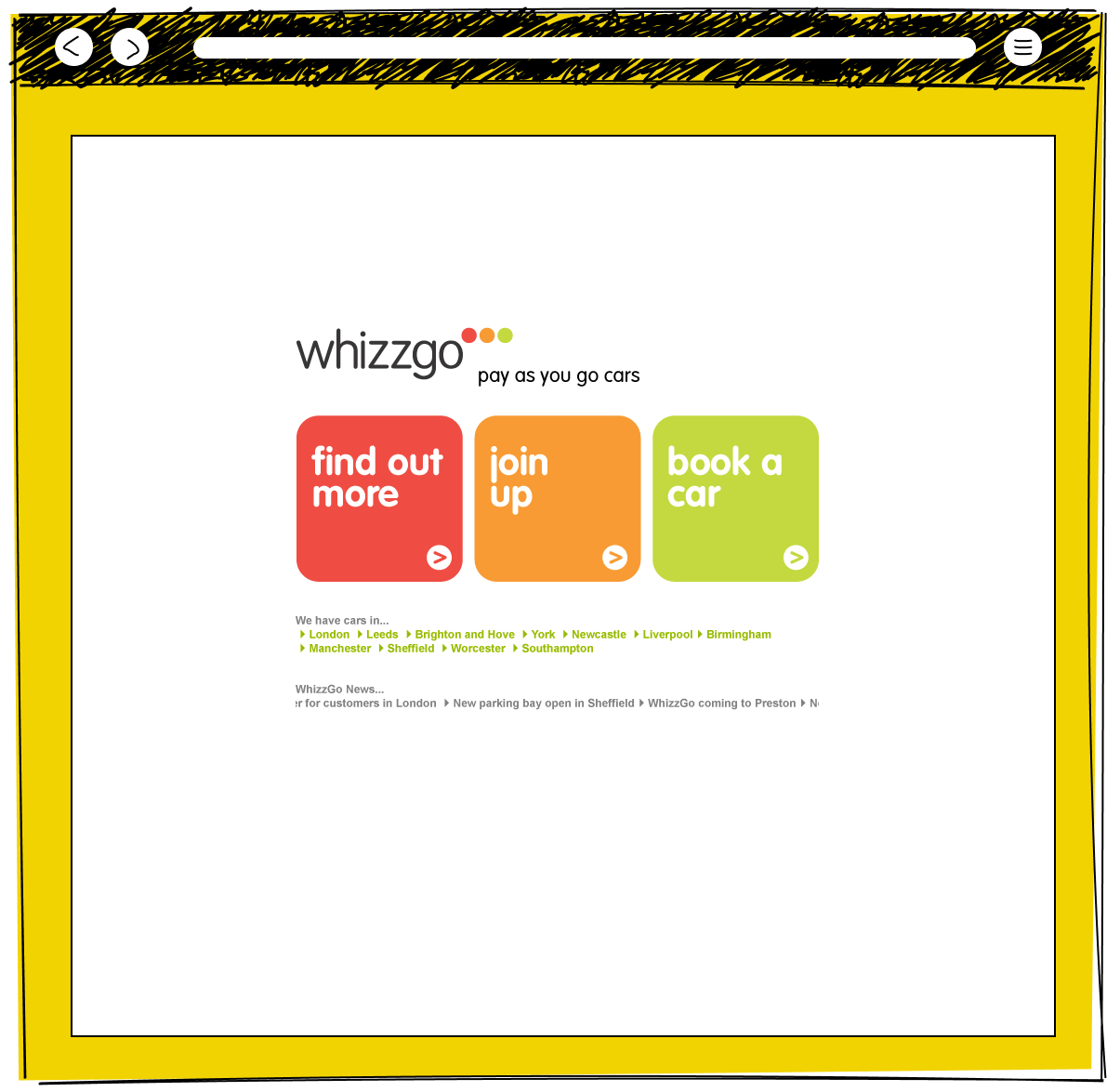
  • The Whizzgo pay as you go cars homepage with three large coloured call to action buttons for find out more, join up and book a car, a list of cities where cars are available, and a news ticker
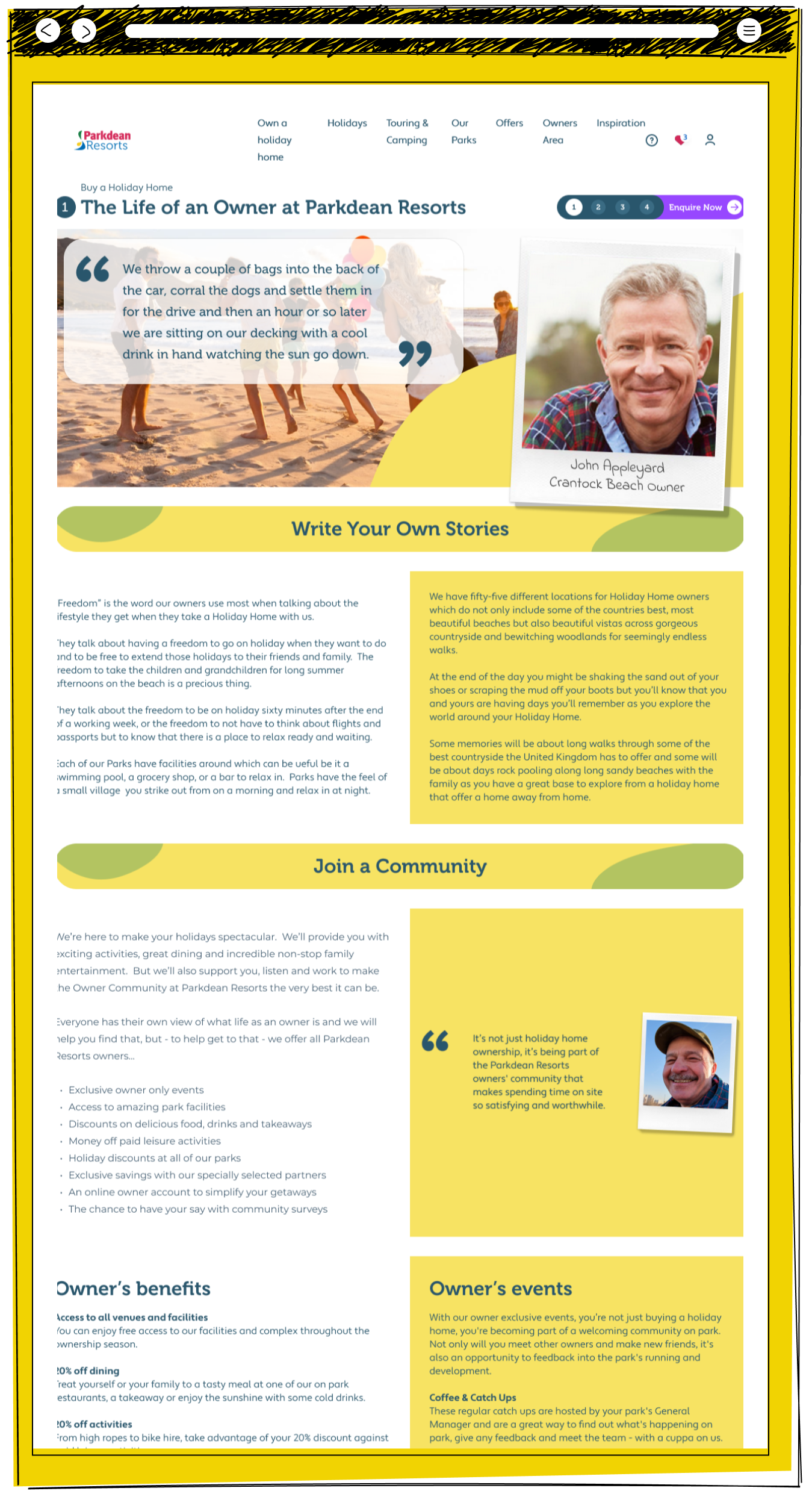
  • The Parkdean Resorts life as an owner page featuring a beach photo with a quote from owner John Appleyard, a write your own stories section about the freedom of holiday home ownership, a join a community section listing owner benefits and events including coffee and catch ups
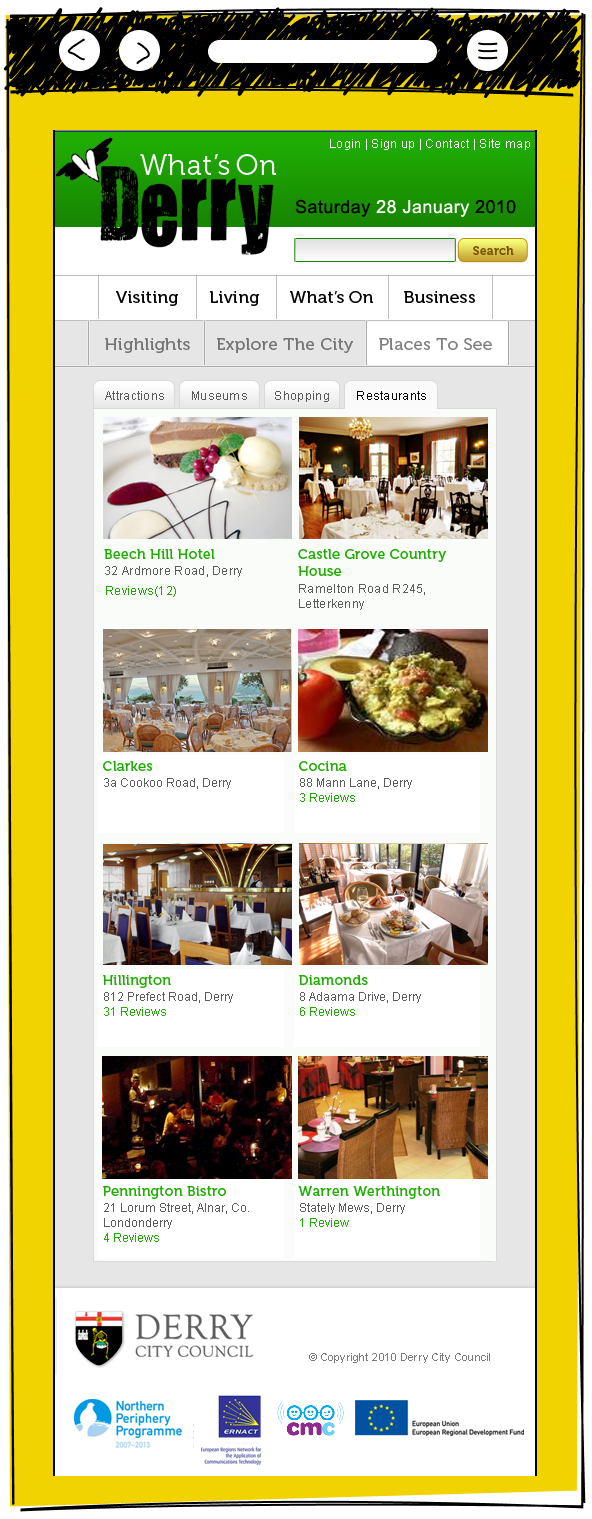
  • The What's On Derry website showing a restaurants listing page with a two column grid of venue photos and names including Beech Hill Hotel, Castle Grove Country House, Clarkes, Cocina, Hillington, Diamonds, Pennington Bistro and Warren Werthingtonxxx